
Find Social Media Profiles: A Step-by-Step Guide for 2026
Learn how to find social media profiles by username, URL or name, verify the right person, and pull public profile data with an API.
You have a podcast guest's handle, a sales prospect's full name from a conference badge, or a headshot from an email signature, and you need to track down their active accounts before sending a message. You run a quick query and three lookalike profiles appear, each using a near-identical name and a plausible bio. Clicking the top result feels fast, yet it's also the fastest way to pitch the wrong person or log a copycat account in your CRM.
Social lookup has become routine across sales, recruiting, and due diligence. According to eMarketer's March 2025 survey, 66.6% of U.S. consumers said they had used social search in 2025. Yet finding an account and proving who runs it are two separate jobs. Veriff's 2025 online communities report found that fraud in online communities rose 21% year over year in 2025, and 90% of reported online-community scams involved impersonation.
When you find social media profiles, treat every result as a candidate lead rather than confirmed proof. A reliable workflow starts with the right lookup method for the clue you hold, checks platform rules before storing anything, and assigns a confidence level instead of a binary yes-or-no label.
Table of Contents
- Pick the Right Search Method for What You Know
- How to Search Platforms by Username Step by Step
- How to Pull Instagram Profile Data by API
- Keep Your Search Within Privacy and Platform Limits
- Confirm the Person and Decide Whether to Reach Out
Pick the Right Search Method for What You Know
Social platforms don't operate like a one-person-one-record directory. DataReportal's Digital 2026 analysis estimated 5.66 billion active social-media user identities worldwide, equal to 68.7% of the global population, with 94.5% of internet users using social media monthly. Because those figures measure user identities rather than unique individuals, one person often holds several accounts across platforms while unrelated users share identical names.
Your first move should match the exact clue sitting in front of you.
| What you have | Best first move | Main risk |
|---|---|---|
| Username or handle | Search the exact handle on each platform, then open its profile URL | Reused handles on unrelated accounts |
| Full name | Search the name with a location or employer term on each platform | Common names return many false matches |
| Profile URL | Open the URL directly to confirm the account and its current status | Renamed, suspended or deleted accounts |
| Numeric Instagram user ID | Resolve it through a profile lookup to get the current username | Requires an API or a prior record |
| Profile photo only | Run a reverse-image search, then check each hit's username and bio | A shared avatar does not prove ownership |
Matching Your Starting Clue to the Right Tactic
Username or handle lookups give you the cleanest entry point, provided you stay disciplined about sequence. Say you spot @marcus_halvorsen in a podcast show note. Search marcus_halvorsen verbatim across Instagram, X, LinkedIn, and TikTok before testing spelling variants, and open each direct URL to confirm the account belongs to the same person rather than someone else who claimed the same string years earlier.
Full name searches almost always flood your screen with false positives if you search the name alone. Pair the name with a city, company, or niche keyword on each platform. Searching "Daniela Ortiz" yields thousands of accounts, whereas searching "Daniela Ortiz Austin product design" narrows the pool to a few realistic candidates you can inspect in minutes.
Profile URLs look definitive on paper, yet links decay fast. Load the URL directly in a browser to check whether the account still exists, moved to a new handle, or hit a suspension screen. Cached search snippets routinely show bios from accounts that changed owners months ago.
Numeric Instagram user IDs stay fixed even after an account owner renames their handle. You can't type a numeric ID into Instagram's standard search bar and expect a match, so you'll need either an API lookup or an older internal record that maps the ID to the live handle.
Profile photos work as a last resort through reverse-image tools like Google Lens or TinEye. Inspect the username, bio, and posting history on every visual hit, because impersonators, fan pages, and stock-photo users reuse identical headshots constantly. Pick the table row that matches the clue you already hold, run that first move, and log your initial hits before broadening your search.
How to Search Platforms by Username Step by Step
Ad-hoc searching wastes time and drops strong leads. One person might hold @alexrivera on Instagram, @alex.rivera on TikTok, and @alexrivera92 on X because the base handle was already taken on two of those networks. Running the same five-step routine every time keeps your candidate list clean and auditable.
The first step is where most manual searches either succeed or stall, so map out your handle variations before opening a single platform tab.
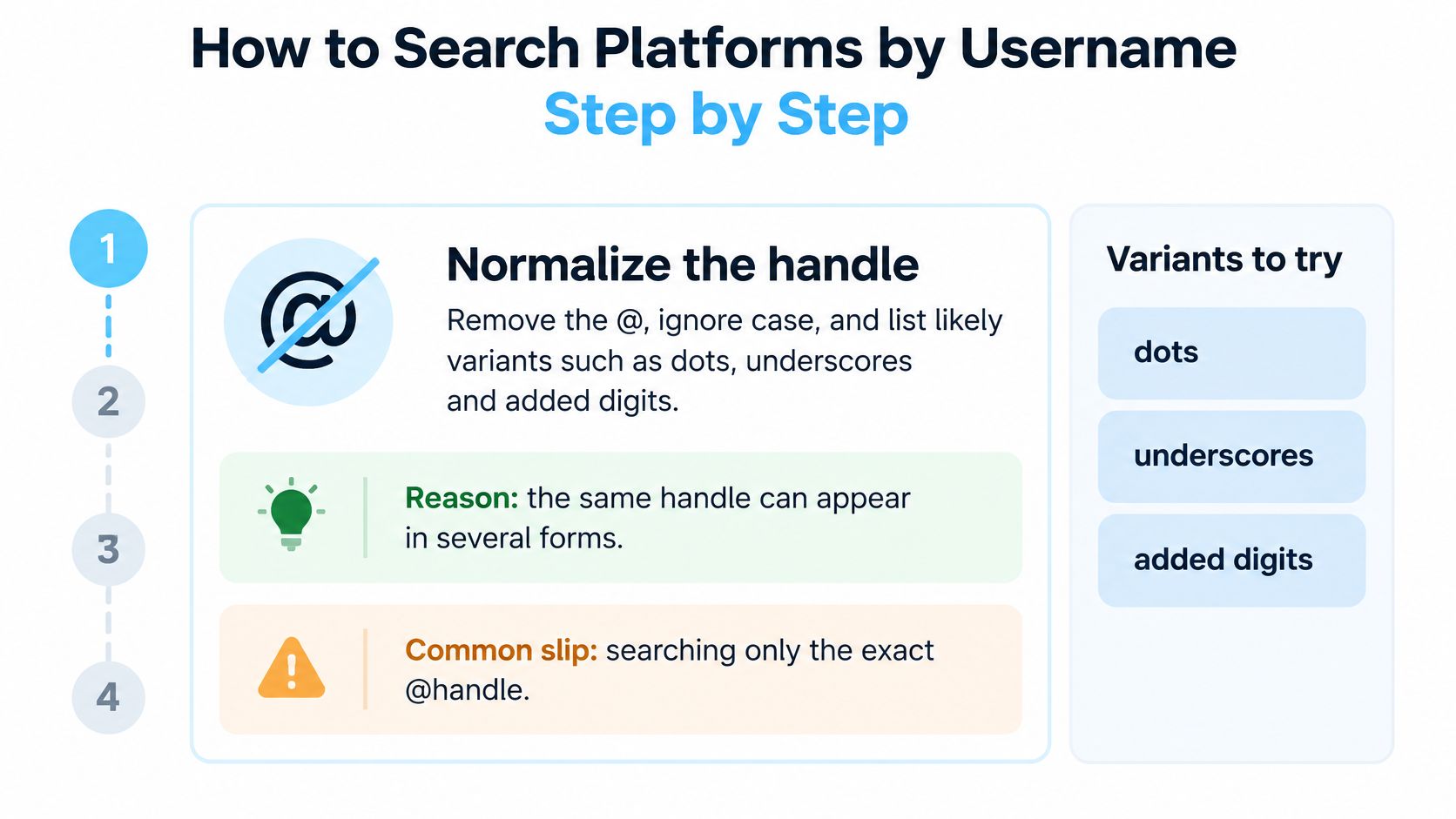
- Normalize the handle before querying. Strip the leading
@, ignore uppercase letters, and jot down three to five close variants using dots, underscores, or trailing digits. People stick to familiar patterns when their preferred username is unavailable, and the most common slip here is searching only the exact@handleand assuming the person isn't on that network. - Query the exact handle first on every target platform. Start with the exact normalized string across Instagram, X, TikTok, YouTube, and LinkedIn, because an identical handle is still your strongest initial candidate signal. When X returns dozens of partial matches, applying advanced Twitter search for prospects helps filter results by bio terms, geography, or recent activity. Skipping the exact-match pass first clutters your notes with weak lookalikes.
- Open the direct profile URL pattern in your browser. Type the platform domain followed by the handle (such as
instagram.com/handleorx.com/handle) rather than relying solely on search engine previews. Search indexes lag behind live account changes, so clicking through catches suspended, deleted, or freshly renamed accounts immediately. - Cross-search the full name or brand on the same platforms. Look for profiles that link back to the handle you started with or point to the same personal domain in the bio. Many professionals keep a playful handle on Instagram while using their legal name on LinkedIn, and stopping at handle search misses those accounts completely.
- Log every candidate in a simple tracking sheet. Record the profile URL, the exact date you checked it, and the specific reasons it matched, such as a shared website link or matching city. Leave ambiguous accounts marked as unresolved rather than forcing a guess into your CRM.
What a Strong Candidate List Looks Like
Practical rule: Stop chasing perfection during the search phase. Two mistakes derail manual lookups more than anything else: querying only the exact handle and missing renamed accounts, or assuming a matching avatar proves two accounts belong to the same person.
A solid candidate sheet usually holds three to five plausible accounts across platforms, with each entry supported by at least two independent signals and a clear status tag showing which profiles still need verification. If an account shares only a display photo and a common first name, keep it in the unresolved column until stronger evidence turns up.
How to Pull Instagram Profile Data by API
Manual browser tabs work fine when you're checking five creators before a campaign. They break down fast when an engineering, growth, or trust team needs to check hundreds of handles, refresh stale CRM records, or feed structured profile fields into an internal tool. At that point, programmatic lookups replace manual copy-and-paste work.
With our Get profile endpoint, you can pass a username, a numeric user ID, or a full profile URL and let the endpoint resolve the identifier automatically, returning public fields such as full name, bio, follower count, post count, verification flags, and external links. Before wiring up requests, review setting up API key authentication so credentials stay scoped cleanly inside your backend environment.
| Input type | Example | Use it when |
|---|---|---|
| Username | nike |
You only have a handle from a bio or post |
| Numeric user ID | 13460080 |
You need a record that survives a username change |
| Full profile URL | instagram.com/nike |
You copied the link from a post, bio or website |
The Six-Stage Retrieval Pipeline
Automating lookups without guardrails amplifies bad matches across your database. A profile linkage study on arXiv showed why naive username matching fails at scale: even when an association model achieved over 90% accuracy across a large account database, 30% of accounts involved homonyms and unpredictable usernames that hid severe subgroup errors. The same paper noted that adding relational evidence (mutual connections, co-occurring accounts, and network structure) improves linkage when bios are sparse, with roughly five network dimensions serving as a practical choice in its Bayesian dataset.
Structure your API workflow into six distinct stages so cost and errors stay bounded:
- Validate and canonicalize every input. Trim spaces, strip leading
@symbols, normalize URL paths, and reject malformed strings before spending an API call. - Retrieve the public profile record. Pull the baseline metadata first (handle, numeric ID, bio, external URL, follower and post counts) and store the numeric ID as your primary key so future renames don't break your record.
- Collect a bounded sample of recent posts. Cap how many posts you fetch per account instead of pulling an entire multi-year archive. Bounding the sample keeps per-profile credit usage predictable and prevents large creator accounts from blowing up response times.
- Extract stable signals from the response. Parse external domains, recurring brand or employer mentions, writing language, hashtags, and posting cadence. Pull relational signals when profile fields alone are thin.
- Score candidates with a calibrated model. Output a continuous confidence score backed by separate precision, recall, and false-match metrics on your own market sample rather than relying on a single overall accuracy figure.
- Route low-confidence or conflicting profiles to human review. Log upstream timeouts and network errors separately from genuine not-found responses so automated retries don't burn credits on deleted handles.
Run a Single-Account Calibration Check
Before launching a batch job over hundreds of handles, pass one public Instagram account you already know well through all six stages. Open the live profile in a browser side by side with your JSON payload and verify that the full name, bio, external link, follower count, and post count match line for line. Only scale the batch once that single-account audit passes cleanly.
Keep Your Search Within Privacy and Platform Limits
A found profile is only a lead until you can defend where the data came from, how fresh it is, and how much confidence it deserves. Public visibility still carries limits. Instagram's Privacy Policy states that public information can be accessed, reshared, or downloaded through search engines, APIs, and third-party services, yet technical accessibility does not remove privacy obligations, accuracy risks, or platform boundaries.
Platform access rules also shift with little warning. Licensed research libraries remain restricted to approved researchers and are generally view-only rather than downloadable, so treat any workflow promising permanent, universal coverage across every social network as oversold. Profile Query is an independent service that is not affiliated with, endorsed by, or sponsored by Instagram or Meta Platforms, Inc.
Before collecting a single profile, separate the four ways public social data is reached, because each carries distinct coverage and restrictions:
- Search-engine visibility: Indexed public pages you reach via Google or Bing, which cover a fraction of active accounts and frequently lag behind recent edits or deletions.
- Platform-native access: Live views inside the app or web client while browsing manually, accurate in the moment yet unsuited for systematic export.
- Licensed research access: Restricted libraries operated by platforms for approved researchers, often limited to view-only inspection with strict download blocks.
- Permitted API retrieval: Structured endpoints built for repeatable lookups of public fields within documented rate and usage scopes; Profile Query access works through direct signup and an API key, without an Instagram login or connected Facebook Page.
Once collection starts, stop when you have the minimum public facts needed to confirm or reject a candidate. Never treat an account's registration country as proof of current residence, since people relocate, travel, or set up accounts abroad. Mark each result as confirmed, probable, or weak rather than writing a possible match into the CRM as a verified identity. Before pushing any profile data into a shared CRM, align your team around compliant social media screening workflows and follow six baseline rules:
- Collect only public fields tied to a stated purpose. Leave private notes, scraped friend graphs, and unrelated personal history out of your records.
- Record source timestamps on every entry. Pair each profile URL with the date and time you retrieved it so downstream teams know how fresh the record is.
- Avoid inferring sensitive attributes. Don't guess health status, political beliefs, religion, or private contact details from public posts.
- Label uncertain matches explicitly. Keep unverified candidates segregated from confirmed contacts inside your CRM.
- Honor deletion and correction requests promptly. Build a clear path to purge or fix a stored profile when someone asks.
- Document retention windows and access controls. Define who can view stored social records and automatically expire old data you no longer need.
Treat public data as borrowed context, not owned property. Keeping only what you need, stamped with when you found it, protects both the person you're researching and the team relying on your notes.
Confirm the Person and Decide Whether to Reach Out
Locating a plausible account is the start of verification, not the finish line. Cross-platform matching accuracy drops sharply outside tidy lab benchmarks. In a cross-platform identity matching evaluation on arXiv, researchers saw more than 90% recall and 95% precision in a small random sample, yet performance fell to 19% recall at 95% precision under practical Twitter-to-Facebook conditions, with an improved false-match method reaching 29% recall at 95% precision. As the same paper points out, NIST defines identity resolution as distinguishing one individual within a specific population, which means a profile match stays context-specific rather than proving verified real-world identity.
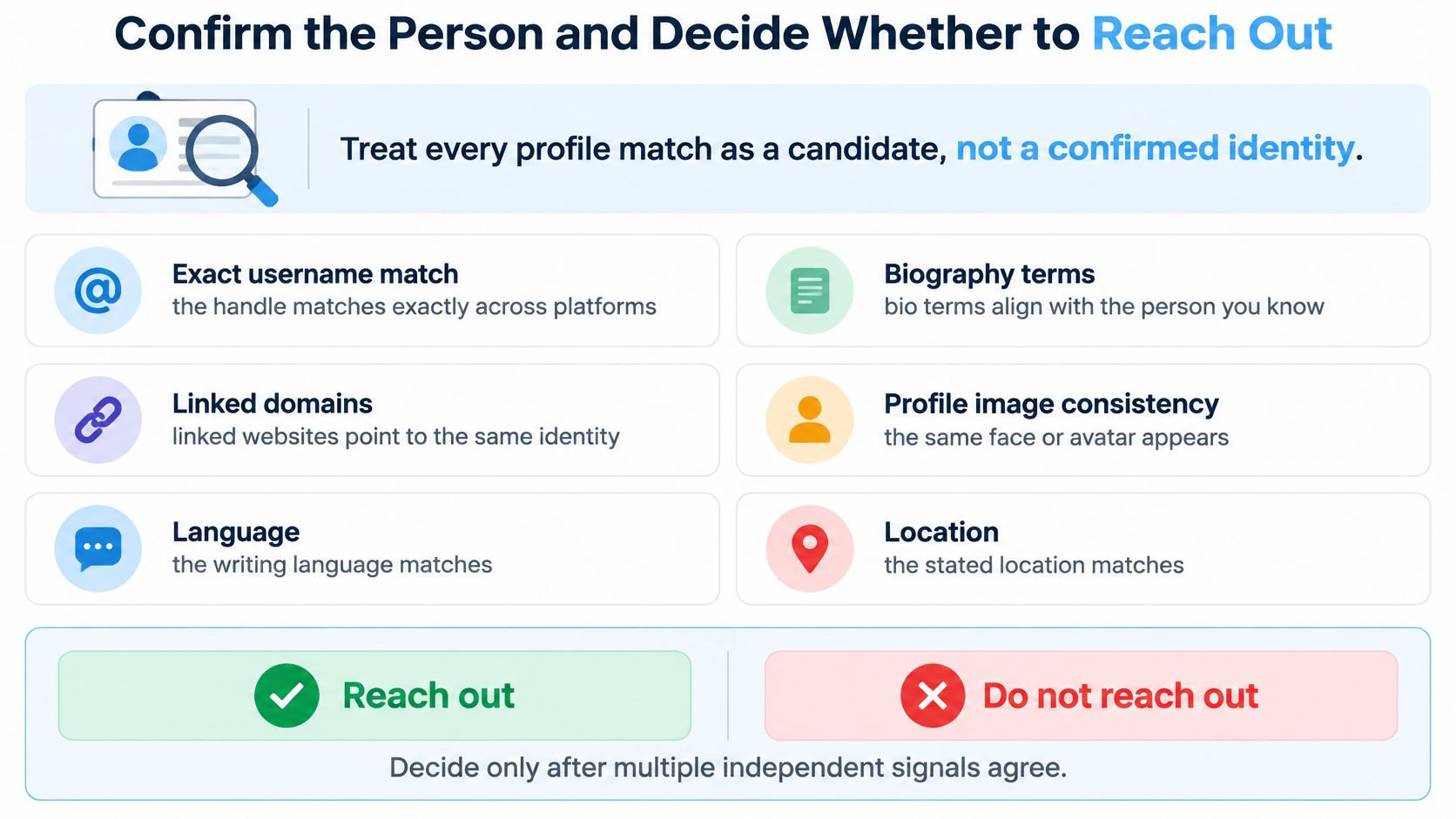
Review the independent verification signals below before deciding whether an account is safe to contact.
The Multi-Signal Verification Checklist
Assign a confidence level only when at least two independent signals agree and the account shows recent, genuine activity. Compare these fields side by side:
- Exact username and bio alignment: Check whether the handle matches your starting clue and whether job titles, company names, or niche phrases align with what you already know.
- Linked domains: Look for links pointing to a personal website, newsletter, or company domain the person controls. Domains are far harder for impersonators to spoof than display text.
- Visual and behavioral consistency: Compare profile photos across platforms alongside writing language, stated location, typical posting times, and mutual connections with colleagues or peers you recognize.
Consider how this plays out in practice. Say two Instagram accounts share the same handle root and the exact same conference headshot. One links directly to the speaker's consulting domain and has two years of original posts with industry peers commenting, while the second has no external link, three generic reposts, and a creation date from last month. Only the first account earns a medium confidence level; the second stays unresolved and flagged for risk.
Watch closely for the failure modes that break identity lookups: common names, recycled handles, abandoned profiles, private accounts with no corroborating context, deleted post histories, and impersonators who lift a legitimate avatar. When engagement looks unusually flat or comments look repetitive, run through a quick check for spotting bot accounts on Instagram before trusting any metric on the page.
For a visual walkthrough of spotting deceptive accounts and cross-checking public clues, watch the video below.
Three Paths From Candidate to Decision
Once you've weighed the signals, route every candidate down one of three clear paths:
- Signals agree and the account is active: Proceed with outreach, and anchor your opening message in a specific detail only that person would recognize, such as a recent talk or published piece. For sales and lead generation teams, this is the point where you safely turn a verified username into a CRM-ready contact profile. If you pull Instagram verification data through Profile Query, your team doesn't need to log in to Instagram or maintain a connected Facebook Page; you authenticate directly with your API key.
- Signals conflict or stay thin: Leave the record marked unresolved and restart from a different clue, such as a company website or LinkedIn profile, rather than guessing.
- Impersonation red flags show up: If you spot a copied headshot paired with a brand-new handle, mismatched outbound links, or suspicious giveaway posts, stop outreach immediately and escalate to a human reviewer. Human review isn't optional whenever a match drives outbound sales, influencer contracts, fraud decisions, or permanent CRM enrichment.
Keep three simple habits active across every lookup workflow:
- Store the source link beside every record: Pair the profile URL with your verification notes so a teammate can audit your match in seconds.
- Set a refresh window such as 30 days: Re-check older records before re-using them, because handles, bios, and account ownership shift over time.
- Never treat follower count as proof of credibility: Purchased audiences and hijacked handles carry large follower numbers without proving who sits behind the keyboard.
A profile you found is a lead. A profile you verified is an identity match.
If you're verifying public Instagram accounts at scale or turning handles into CRM-ready records without browser bottlenecks, Instagram API gives you structured JSON for profiles, search, and account transparency signals like creation date, registration country, and prior usernames through a single API key. You get 50 free credits to run your own single-account test with no payment card required, and prepaid credit packs with no recurring subscription when you're ready to scale.
Pull Instagram data with one API call
Profiles, posts, reels, followers and more. 50 free credits, no credit card.
Get your free key