
Profile Overview Example: Instagram API JSON Guide
See a complete profile overview example JSON response for the Instagram API, with a field-by-field reference and practical integration guidance for developers.

You're wiring public Instagram data into a creator vetting workflow, a CRM enrichment job, or an AI agent tool. Before writing a migration or parser, you need a concrete profile overview example that shows the JSON contract: which values arrive as strings, integers, booleans, or timestamps, which can be null, and which your schema can safely treat as stable.
Scale is what turns that contract from convenient to necessary. Since launching on October 6, 2010, Instagram grew from 1 million registered users by December 2010 to 1 billion monthly active users in June 2018, according to the Wikipedia timeline of Instagram. A review process that works for one open browser tab becomes a bottleneck when the same check has to run across every record in a batch or inside an automated agent.
A syntactically valid payload is only the starting point.
Some values are direct observations, some act as stable identifiers, and others are heuristics that deserve more cautious handling. Treating them as equally authoritative creates fragile integrations: a display field becomes a join key, a missing value violates a required column, or a heuristic is stored as though it were a fact. Labeling every field by evidence level in a lookup table makes the build contract clearer. It separates values you can use for matching and vetting decisions from values better suited to scoring, ranking, or display, and it shapes the typing rules, null handling, error contracts, and integration decisions that matter before the response reaches production.
Table of Contents
- A Complete Profile Overview Response Example
- Field Reference for the Profile Overview Response
- Reading Field Values with the Right Confidence
- How to Integrate the Response into Your Application
- Handling Error and Not-Found Responses
- Turning the Overview into a Credibility Check
- Two Shorter Overview Examples for Different Account Types
- Quick Reference and Cross-References
- Your Next Step to Test the Example
A Complete Profile Overview Response Example
Suppose your service calls GET /v1/profile with handle=nike to hydrate a brand record before running campaign checks. Here's an illustrative profile overview example showing the outer response envelope, the core profile payload, and the nested account transparency block returned in the same call:
{
  "data": {
    "profile_id": "13460080",
    "username": "nike",
    "full_name": "Nike",
    "biography": "Just Do It.",
    "is_verified": true,
    "is_private": false,
    "is_business_account": true,
    "category": "Sportswear Company",
    "followers_count": 302000000,
    "following_count": 195,
    "media_count": 1180,
    "external_url": "https://nike.com",
    "profile_picture_url": "https://cdn.example.net/ig/13460080_avatar.jpg",
    "transparency": {
      "created_month": "November",
      "created_year": 2011,
      "account_age_years": 13.4,
      "registration_country": "United States",
      "has_changed_username": false,
      "previous_usernames": []
    }
  },
  "meta": {
    "request_id": "req_01J9X4K2M8N7P5Q3R1S6",
    "credits_charged": 1,
    "remaining_balance": 49,
    "processing_time_ms": 412,
    "fetched_at": "2026-03-18T14:22:09Z"
  }
}
Inspecting the raw response side by side with your target database model catches most integration bugs before they reach staging.
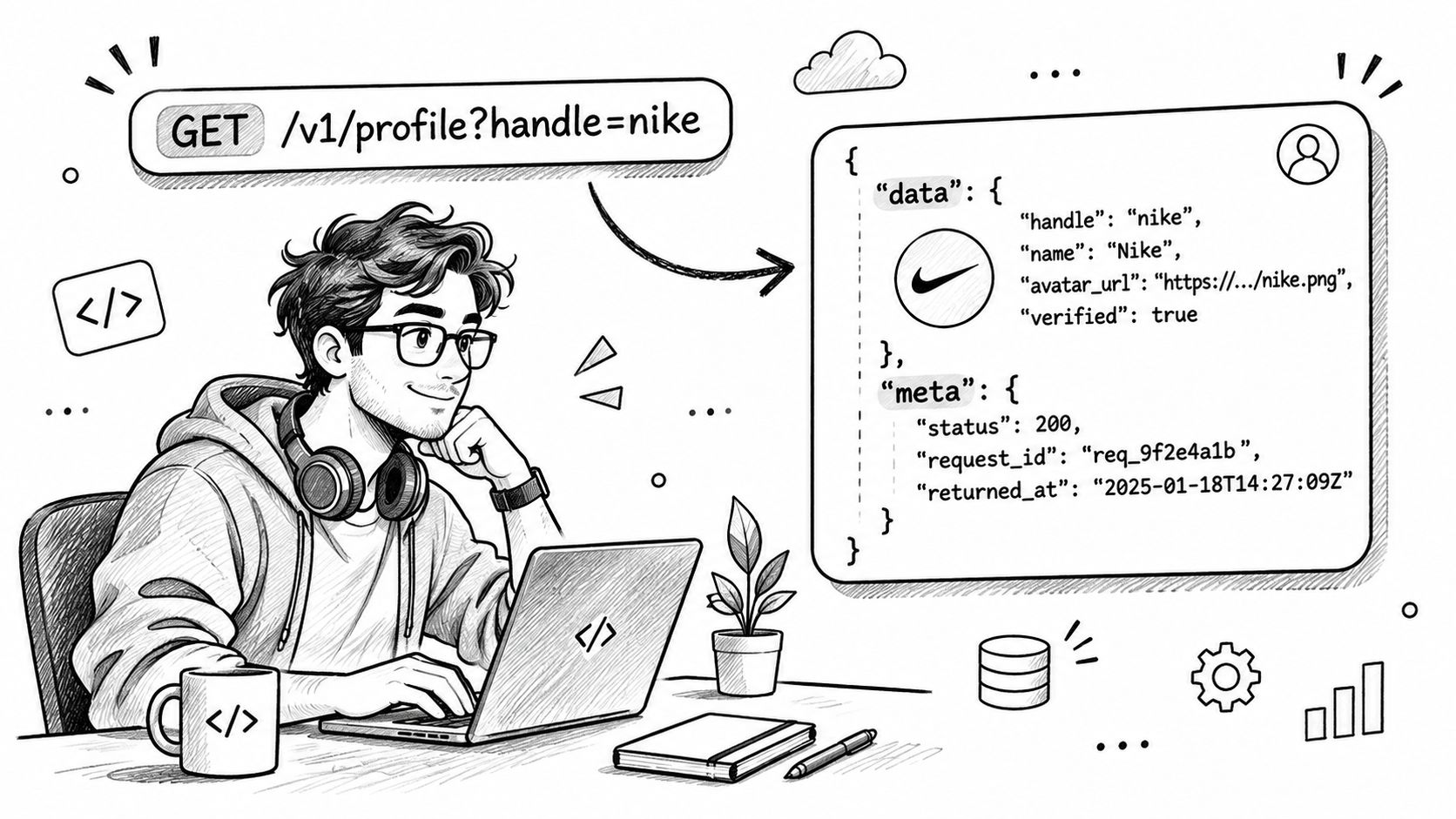
How Lookup Resolution and the Envelope Work
The Get profile endpoint accepts three lookup formats: a username like nike, a numeric user ID like 13460080, or a full profile URL. You don't have to parse URLs or run a separate handle-to-ID resolver in your client because the endpoint resolves all three inputs automatically to the same canonical profile_id.
Notice the top-level split between data and meta. Keeping request_id, credits_charged, remaining_balance, processing_time_ms, and fetched_at inside meta gives your telemetry pipeline full operational visibility without polluting your domain object.
Reading the Profile Object and Transparency Block
Inside data, you get the public identity fields (username, full_name, biography, category), boolean account flags (is_verified, is_private, is_business_account), and public counters (followers_count, following_count, media_count). If your frontend caches or crops the avatar from profile_picture_url, check the Instagram sizing specs from Crowbert so your UI handles circular cropping and display dimensions cleanly.
The nested transparency object exposes Instagram's "About this account" panel alongside the full public profile in one call, covering created_month, created_year, account_age_years, registration_country, has_changed_username, previous_usernames, and verification context. Calling the Account age & country API includes the full public profile at no extra cost, so you don't need two sequential network hops to gather due-diligence fields.
Every key in the payload follows strict JSON typing: integers for counts, booleans for status flags, arrays for handle history, and null for absent values. You can deserialize data directly into a Pydantic model, TypeScript interface, or Go struct without string-to-number coercion hacks.
Field Reference for the Profile Overview Response
Meta's platform rules govern what authenticated first-party apps can request, and developers evaluating that route quickly run into questions about Instagram API scopes and rate limits. A public profile overview contract stays compact and uniform across accounts. Mapping the JSON payload to a relational table or document store becomes straightforward once every key has an explicit type, an evidence level, and a downstream job.
| Field | Type | Evidence level | Meaning | Use in your app |
|---|---|---|---|---|
profile_id |
string | Directly observed | Numeric account ID, stable across username changes | Primary key for your records |
username |
string | Directly observed | Current handle | Display, lookup, join on input |
full_name |
string | Directly observed | Display name on the profile | Display, matching |
biography |
string | Directly observed | Public bio text | Enrichment, niche hints |
is_verified |
boolean | Directly observed | Verified badge status | Credibility filter |
is_private |
boolean | Directly observed | Whether the account is private | Access gating |
is_business_account |
boolean | Directly observed | Business or creator account flag | Segment accounts |
category |
string | Directly observed | Business category label | Niche classification |
followers_count |
integer | Directly observed | Number of followers | Audience scale, ratio calculations |
following_count |
integer | Directly observed | Accounts followed | Ratio checks |
media_count |
integer | Directly observed | Number of posts | Activity depth |
external_url |
string or null | Directly observed | Link in bio | Lead enrichment, monitoring |
profile_picture_url |
string | Directly observed | Profile image URL | Display, deduplication |
created_year |
integer | Transparency panel | Year the account was created | Account age, due diligence |
account_age_years |
number | Transparency panel | Age in years | Risk scoring |
registration_country |
string | Transparency panel | Country of registration, not residence | Impersonation checks |
has_changed_username |
boolean | Transparency panel | Whether the handle was ever changed | Fraud signal |
previous_usernames |
array | Transparency panel | Former handles, may be empty | History audit |
fetched_at |
string | Response metadata | ISO 8601 retrieval timestamp | Freshness tracking |
The evidence column is the part worth internalizing. Every row above is observed data, either read directly off the public profile object or surfaced from Instagram's "About this account" transparency panel in the same payload, so you can build hard filters, foreign keys, and compliance logic on these values without hedging. Derived numbers like engagement rate are computed from public post data rather than observed, so persist those as metrics with their own provenance instead of treating them as profile attributes.
Field Semantics That Trip Up Developers
Watch registration_country closely. It reflects where the account was originally registered, not where the person or brand operates today, so never render it as the creator's current location in a frontend directory. A creator registered in one country and operating in another is a completely normal pattern, and treating the registration country as a residence produces false fraud positives fast.
Treat previous_usernames and has_changed_username as a paired signal. An empty previous_usernames array alongside has_changed_username: true still tells you handle churn occurred, even when the older handles are not enumerated. Store both fields rather than collapsing them into one boolean, because the array contents matter for audit trails.
category and is_business_account travel together. Personal accounts generally carry no category label, so read a missing category as a segment signal in its own right instead of a data-quality error worth flagging.
Remember that fetched_at lives inside the meta object rather than data. Read it during ingestion and persist it on your profile row so downstream consumers know exactly how fresh each snapshot is before they trust a follower count in a report.
Schema rule: Always key your database tables on
profile_id, never onusername. Handles get renamed, traded, and recycled, while the numeric ID stays permanent for the life of the account.
Reading Field Values with the Right Confidence
A shorter profile overview with explicit uncertainty is far more useful in production than a padded report that dresses guesses up as facts. A profile overview example gives you a public snapshot, not a first-party performance report.
Meta's Instagram Platform documentation states that the platform primarily supports professional accounts while access to data not created by the app user stays limited and public. Aggregate private insights such as reach, story views, and audience demographics belong to authenticated account owners, not public profile endpoints. Labeling every metric by evidence level stops product teams from overpromising in dashboards and AI prompts.
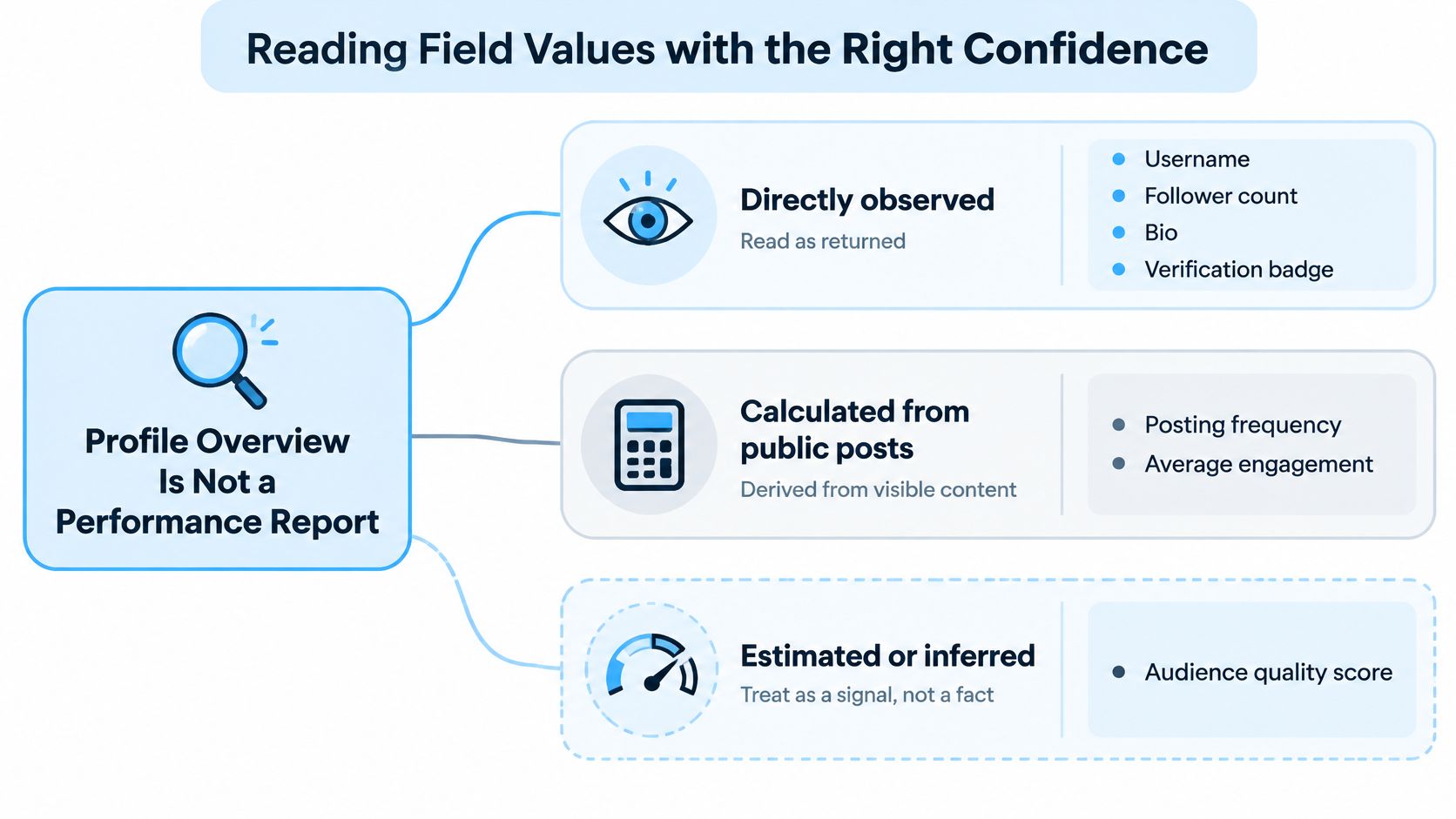
| Field or metric | Evidence level | Source |
|---|---|---|
username, full_name, biography, followers_count, is_verified |
Directly observed | Public profile object |
| Engagement rate, posting cadence | Calculated from public posts | Derived from public post data |
| Audience quality from follower ratios | Estimated | Heuristic on profile counts |
| Reach, impressions, audience demographics, story views | Unavailable without authenticated insights | Account owner authorization |
Why Polished JSON Creates False Confidence
When a backend returns clean, strongly typed JSON, downstream analysts and LLM agents tend to treat every number as equally authoritative. Retaining raw observed values and refusing to convert unavailable, estimated, or privacy-restricted fields into 0 protects your analytics warehouse from silent corruption. If your architecture links social profiles into a broader entity graph, you can also serialize provenance alongside those fields using the W3C JSON-LD specification, which defines a JSON-based serialization for linked data.
Consider a quick hypothetical check. Say a profile returns a followers_count of 120,000 and a media_count of 40, while recent public posts average 150 likes. That works out to a rough engagement rate near 0.1%, which is an immediate red flag worth investigating before anyone treats the account as commercially influential.
Guardrails for Your UI and Downstream Models
Follower count alone can't establish actual reach, buyer geography, content quality, or conversion potential. A creator with modest followers and high comment depth routinely outperforms a huge account whose audience went dormant years ago.
I'd enforce one strict contract between backend engineers and frontend designers: if a metric isn't present in the API payload, don't invent it, extrapolate it, or render a substitute number in the UI. Tag calculated and estimated values explicitly in your schema so every consumer knows the confidence tier before making a business call.
How to Integrate the Response into Your Application
Clean mapping decisions during ingestion save weeks of cleanup later. The flow below walks through the core pipeline from raw lookup input to cached storage and AI tool routing.
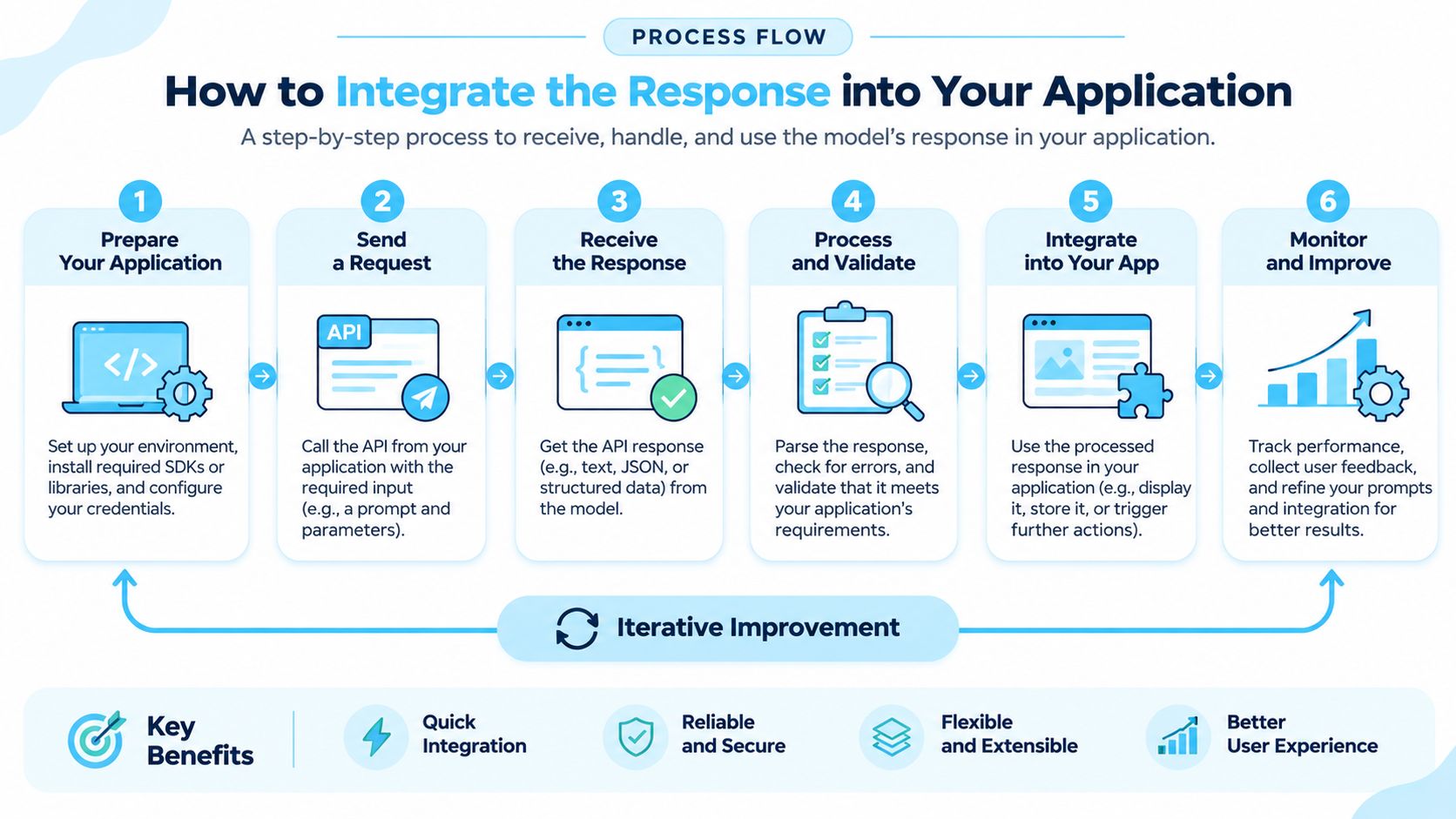
Seven Mapping Steps for Your Pipeline
- Set
profile_idas the primary key and log the raw input. Store whatever identifier the caller supplied (username, numeric ID, or URL) in an audit column alongsideprofile_id. When a customer asks why a lookup matched a renamed handle, that audit trail answers the question immediately. - Normalize inputs before any database write. Route every request through the Get profile endpoint at
api.profilequery.com/v1/profileand resolve to the canonicalprofile_idbefore running an upsert. If you need a starter client structure, walk through calling an API from Python to keep request setup and JSON parsing tidy. - Bind
datadirectly to a strict model. Keep optional strings likeexternal_urlnullable in your ORM and enforce integer columns on count fields. Reject malformed payloads at the boundary rather than letting type coercion mask upstream schema changes. - Persist
fetched_atwith an explicit staleness window. Decide how old a snapshot can get before your app refetches it, such as 24 hours for creator discovery or shorter intervals for active campaign monitoring. Check that timestamp in your service layer before opening a network request. - Send
metato structured logs, not your profile table. Emitrequest_id,credits_charged,remaining_balance, andprocessing_time_msto Datadog, OpenTelemetry, or your standard log aggregator. Separating operational telemetry from entity storage keeps your profile rows lean and gives you instant debugging correlation. - Deduplicate batch jobs on
profile_id. When a marketing team uploads a CSV containing both@handleand full URLs for the same creator, process one response object per profile and merge duplicates byprofile_idbefore downstream enrichment. Teams combining Instagram with other networks can pair this pattern with Sift AI on cross-channel listening to keep cross-platform entity records aligned. - Expose endpoints cleanly to AI agents. Rather than scraping HTML inside an agent loop, connect your model through an MCP server. MCP tool names mirror endpoint paths with underscores, so
profile/postsbecomesprofile_posts, giving agents predictable, typed JSON schemas on every call.
For a walkthrough of wiring REST JSON payloads into real backend code, watch this short integration breakdown before writing your client wrapper.
Caching and Rate Budgeting
Wrap your profile fetcher in a Redis or database read-through cache keyed by canonical profile_id (with a secondary short-TTL alias map for username to profile_id). Serving repeat lookups inside your staleness window protects your rate budget and avoids spending credits on unchanged profiles.
Handling Error and Not-Found Responses
Every production integration breaks eventually, whether from a typo in a user-supplied handle, an account deletion, or a brief upstream hiccup. Machine-actionable errors keep your workers from crashing or burning retries blindly.
Following the RFC 9457 Problem Details standard gives clients one uniform error envelope instead of ad-hoc failure shapes for every route. A practical profile API error payload includes type, title, status, code, detail, request_id, retryable, and optionally credits_charged:
{
  "data": null,
  "error": {
    "type": "https://api.profilequery.com/errors/account-not-found",
    "title": "Account Not Found",
    "status": 404,
    "code": "PROFILE_NOT_FOUND",
    "detail": "No public Instagram account matched handle 'nonexistent_brand_99'.",
    "request_id": "req_01J9X5B9T4W2Y8Z1C3V6",
    "retryable": false,
    "credits_charged": 1
  }
}
Status Code Mapping and Billing Behavior
Map HTTP status codes cleanly in your client exception hierarchy and align them against the schema defined in your OpenAPI specification guide:
- 400 Bad Request: Malformed username, invalid numeric ID, or broken URL syntax. Invalid input isn't charged, and your client should reject it locally before retrying.
- 404 Not Found: Upstream lookup confirmed the account doesn't exist or was deleted. A documented not-found response can still incur a credit charge because Instagram was queried, so log
credits_chargedfrom the error object and cache negative lookups briefly. - 429 Too Many Requests: Your client exceeded throttling limits. Back off and respect rate headers before sending more volume.
- 502 or 503 Upstream Failure: Transient upstream provider issue. Provider failures aren't charged, and these responses are safe candidates for automated retries.
Retry Policy and Data Minimization
Apply exponential backoff with jitter strictly to retryable: true responses (429 and 5xx). Never retry deterministic 400 or 404 failures, and pair paid retries with an idempotency key so transient network timeouts don't double-bill your queue.
Public visibility doesn't exempt profile data from privacy obligations. Treat stored social records like personal data from day one.
European data-protection guidance referenced in API compliance standards notes that social-media processing can involve personal data and, in certain situations, special categories. Set an explicit retention window on stored profile rows, document your business purpose for fetching them, restrict access to sensitive derived fields, and build a suppression or deletion workflow before launch.
Turning the Overview into a Credibility Check
Describing an account is easy. Deciding whether to wire campaign budget or sales outreach to that account is the hard part.
Commercial stakes keep climbing. Collabstr's 2025 industry analysis projected the global influencer-marketing industry to grow 12.12% to $22.2 billion in 2025, as reported by WPXI. Yet measurement trust lags far behind spend: the World Federation of Advertisers report found that proving ROI and tracking performance were the leading influencer-marketing challenges in 2025, each cited by 63% of respondents. When the people buying campaigns can't prove what they paid for, the burden shifts to whoever pipes the data in. That's you.
The good news: fields already sitting inside your profile overview example can become an automated diligence layer before a human reviewer ever opens a browser tab.
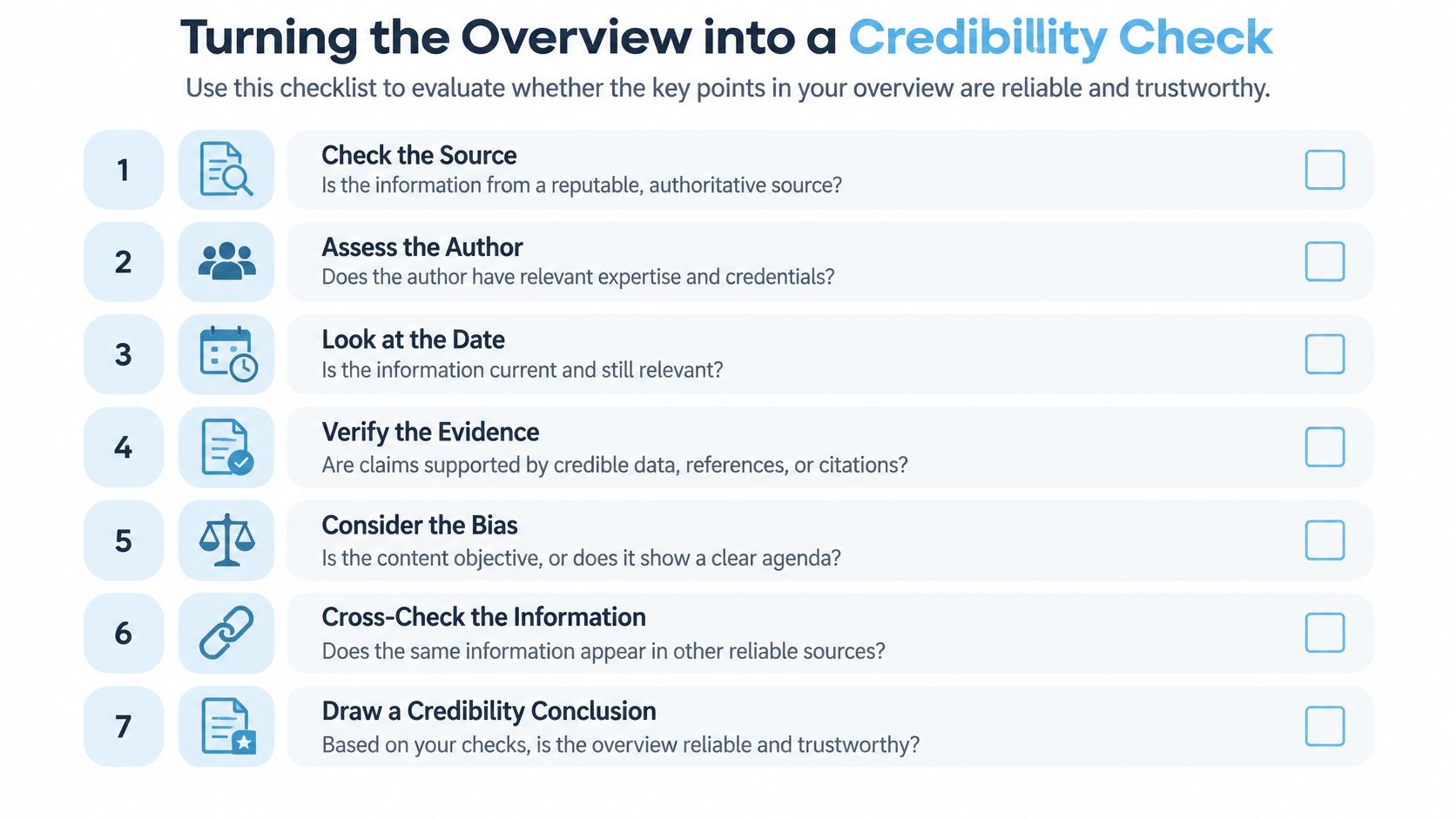
How Much Confidence Each Field Deserves
Not every value in the payload carries the same evidentiary weight. Some fields come straight from Instagram's own transparency panel, others are stable account metadata, and a few are weak proxy signals at best. Before writing rules on top of the response, label what you're building on:
| Field | Evidence level | What you can responsibly build on it |
|---|---|---|
account_age_years, registration_country |
High: drawn from the platform's account transparency data | Hard routing decisions, compliance checks, regional qualification |
has_changed_username, previous_usernames |
High: historical record, not self-reported | Impersonation and purchased-account escalation |
is_verified |
Moderate: platform-awarded, but absence proves nothing | Positive confirmation of public figures, never a rejection criterion |
followers_count, media_count |
Moderate: accurate snapshots, easily gamed as quality signals | Volume context only, never a quality verdict alone |
| Engagement inferred from counts | Low: a ratio of two snapshots with no post-level depth | A prompt to call deeper endpoints, nothing more |
Treat the high-confidence rows as infrastructure you can automate against. Treat the low-confidence row as a trigger, not a verdict.
Five Questions Your Code Should Ask Before Trusting a Profile
- Is
account_age_yearsunder one year? Flag young accounts for manual brand-safety review rather than auto-rejecting them. New product launches and spin-off brands start young, so age is a caution flag, not a guilty verdict. - Does
has_changed_usernamereturntruealongside unrelatedprevious_usernames? Frequent handle pivots or former names tied to unrelated brands are a classic impersonation and purchased-account indicator. Route those records straight to brand-safety escalation. - Does
registration_countryclash with the claimed target market? Use mismatches to guide prospect qualification and regional compliance checks. A creator pitching local retail partnerships whose account originated elsewhere deserves a quick verification step. - Does
is_verifiedalign with the claimed identity? Verification confirms public figures and established companies during prospect qualification, though plenty of legitimate niche businesses operate without a blue badge. Score it as positive evidence only. - Does recent post engagement hold up against
followers_count? Compare visible interaction volume against audience size to protect campaign ROI, since an unusually flat engagement ratio is the weakest commercial signal in the stack. It justifies a deeper lookup, never a rejection on its own.
Diligence caution: Authenticity isn't a binary score. Automated fraud heuristics regularly misfire on international audiences, viral breakout posts, or creators returning from a hiatus.
Moving From Base Fields to Dedicated Insight Endpoints
Don't stretch base profile counts into a full fake-follower verdict. The evidence table above shows why: count ratios are the weakest signal you have. Dedicated insight endpoints handle engagement rate, best time to post, account stats, fake-follower audit, lead fit scoring, profile summary, and niche classifier workloads using deeper post and audience signals, so the heavy analysis runs where the data supports it.
When your automated flags fire on follower ratios or handle history, pair those endpoints with an Instagram fake-follower audit checklist so reviewers connect every warning directly to brand safety, lead qualification, or campaign ROI.
Two Shorter Overview Examples for Different Account Types
Not every account looks like a verified global brand with a business category and an external storefront link. Hardcoding assumptions around a public corporate payload is the fastest way to trigger null-pointer exceptions in production.
Private Personal Account Payload
Here's a compact JSON snippet for a private personal account. Notice how category and external_url return null, while media_count and transparency remain populated even though individual posts are inaccessible:
{
  "data": {
    "profile_id": "592841002",
    "username": "alex.m.dev",
    "full_name": "Alex Morales",
    "biography": "Coffee, trail running, and distributed systems.",
    "is_verified": false,
    "is_private": true,
    "is_business_account": false,
    "category": null,
    "followers_count": 412,
    "following_count": 389,
    "media_count": 87,
    "external_url": null,
    "transparency": {
      "created_year": 2016,
      "account_age_years": 9.8,
      "registration_country": "Canada",
      "has_changed_username": false,
      "previous_usernames": []
    }
  }
}
Public Creator Account With a CRM Summary
Contrast that with a public creator account enriched through the Profile summary endpoint, which attaches an AI sales or CRM brief to the public profile fields so sales teams can turn a bare Instagram username into a CRM-ready contact record:
{
  "data": {
    "profile_id": "884120934",
    "username": "roastlab.studio",
    "full_name": "RoastLab Studio",
    "is_verified": false,
    "is_private": false,
    "is_business_account": true,
    "category": "Coffee Roaster",
    "followers_count": 28400,
    "external_url": "https://roastlab.example.com",
    "ai_crm_brief": {
      "summary": "Specialty coffee equipment creator and micro-roaster publishing brewing tutorials and wholesale gear reviews.",
      "outreach_angle": "Direct B2B equipment partnership or affiliate bundle",
      "contact_readiness": "high"
    }
  }
}
Field Availability by Account Type
| Field | Private personal account | Public creator account |
|---|---|---|
is_private |
true |
false |
is_business_account |
false |
true |
category |
null |
Present |
external_url |
null |
Present |
transparency block |
Available | Available |
| Content endpoints | Gated | Accessible |
| Recommended use | Identity check only | Creator evaluation, lead enrichment |
Branching Logic Your Client Needs
Treat a private account's base profile object as readable for identity and transparency checks, but short-circuit any downstream calls to posts, reels, or comment endpoints whenever is_private is true. Branch your UI components and worker pipelines on both is_private and is_business_account so empty business categories or gated media never surface as broken screens.
Quick Reference and Cross-References
Keep this index bookmarked when writing models, reviewing pull requests, or onboarding another engineer onto your Instagram integration.
Core Terms Glossary
- Envelope: The top-level JSON wrapper separating payload entities (
data), operational telemetry (meta), and failure details (error), introduced in the complete response example. - Data object: The nested JSON block containing typed public profile fields and transparency metadata, mapped key by key in the field reference.
- Meta object: Operational metadata (
request_id,credits_charged,remaining_balance,processing_time_ms,fetched_at) routed to structured logs during application integration. - Canonical identifier: The single normalized account key (
profile_id) produced regardless of whether a request passed a handle, numeric ID, or URL, covered in the response example and integration steps. - Evidence level: The confidence tier classifying each metric as directly observed, calculated from public posts, estimated, or unavailable without authorization, defined in the reading-confidence guide.
- Staleness window: The maximum age allowed for a cached
fetched_attimestamp before your application triggers a fresh API lookup, detailed in the integration steps. - Retryable error: A transient
429or5xxfailure markedretryable: truethat qualifies for exponential backoff with jitter, covered under error and not-found handling. profile_id: The immutable numeric Instagram account ID stored as your database primary key instead of mutable usernames, established in the field reference.- Transparency block: The nested object exposing account creation date, age in years, registration country, and username history in the same call, shown in the complete response example and credibility check.
- MCP tool: A Model Context Protocol function whose name mirrors an endpoint path with underscores (such as
profile_posts), used for AI agent workflows in the integration guide.
Section Cross-References
- Raw JSON payload and lookup modes: See A Complete Profile Overview Response Example.
- Column types, nullability, and key semantics: See Field Reference for the Profile Overview Response.
- Metric evidence levels and false-confidence traps: See Reading Field Values with the Right Confidence.
- Database mapping, caching, and MCP wiring: See How to Integrate the Response into Your Application.
- Status codes, RFC 9457 errors, and retry rules: See Handling Error and Not-Found Responses.
- Brand safety, fraud flags, and diligence questions: See Turning the Overview into a Credibility Check.
- Private versus public creator payload branching: See Two Shorter Overview Examples for Different Account Types.
- Machine-readable API contract: Import the published OpenAPI specification at
api.profilequery.com/openapi.jsoninto Swagger, Redoc, Postman, SDK generators, or agent tool loaders like ChatGPT Actions and LangChain alongside the API documentation.
Your Next Step to Test the Example
Validate the schema against a real account before writing production migrations. Profile Query operates as a REST API for public Instagram data, with JSON in and JSON out behind one bearer token. Access needs only an API key: no Instagram OAuth, no app review, no business verification.
Send a single GET request to api.profilequery.com/v1/profile passing any public username, numeric ID, or full profile URL, then compare the live output key for key against the field reference table. New accounts receive 50 free credits with no payment card required, where most requests cost 1 credit and deeper endpoints cost 2 credits. That gives you plenty of headroom to test public brands, private handles, and intentional 404 edge cases, keeping in mind that a not-found response still consumes a credit because Instagram was queried. Invalid input, by contrast, is never charged, so a malformed handle costs nothing while you debug your client.
Your First Three Build Decisions
- Lock your primary key to
profile_idand cachefetched_at. Create your unique index on the numeric ID, store the caller's raw handle in a separate lookup column, and enforce a staleness window before refetching. - Preserve nullability and confidence labels in your model. Keep optional fields nullable, store counts as integers, and never blend directly observed fields with unverified estimates in the same unlabelled column.
- Route
metaanderrorto structured telemetry. Logrequest_idandcredits_chargedon every response, and restrict exponential backoff retries strictly to429and5xxerrors.
These three choices are the difference between a prototype that works on one account and a pipeline that survives username changes, missing data, and provider hiccups in production.
Grab the OpenAPI specification at api.profilequery.com/openapi.json along with the ready-to-run cURL, JavaScript, and Python examples to bootstrap your client in minutes. Profile Query is an independent service that is not affiliated with, endorsed by, or sponsored by Instagram or Meta Platforms, Inc., so review the legal and compliance terms that apply to your own application and jurisdiction. Once those three decisions are in place, you have a dependable pipeline turning public Instagram fields into records your analytics, monitoring, and AI workflows can trust.
If you're ready to test a live response against your own schema, Instagram API gives you one bearer-token REST interface for public profile overviews, account transparency data, engagement insights, and MCP-ready agent tools with prepaid credits and no recurring subscription. Create an account to claim your starter credits, inspect the OpenAPI contract, and wire your first lookup in minutes.
Pull Instagram data with one API call
Profiles, posts, reels, followers and more. 50 free credits, no credit card.
Get your free key