
What Is an MCP Server? How AI Tools Connect to Data
What is an MCP server? Learn how it connects AI applications to tools and data, with tools, resources, prompts and a real Instagram data example.
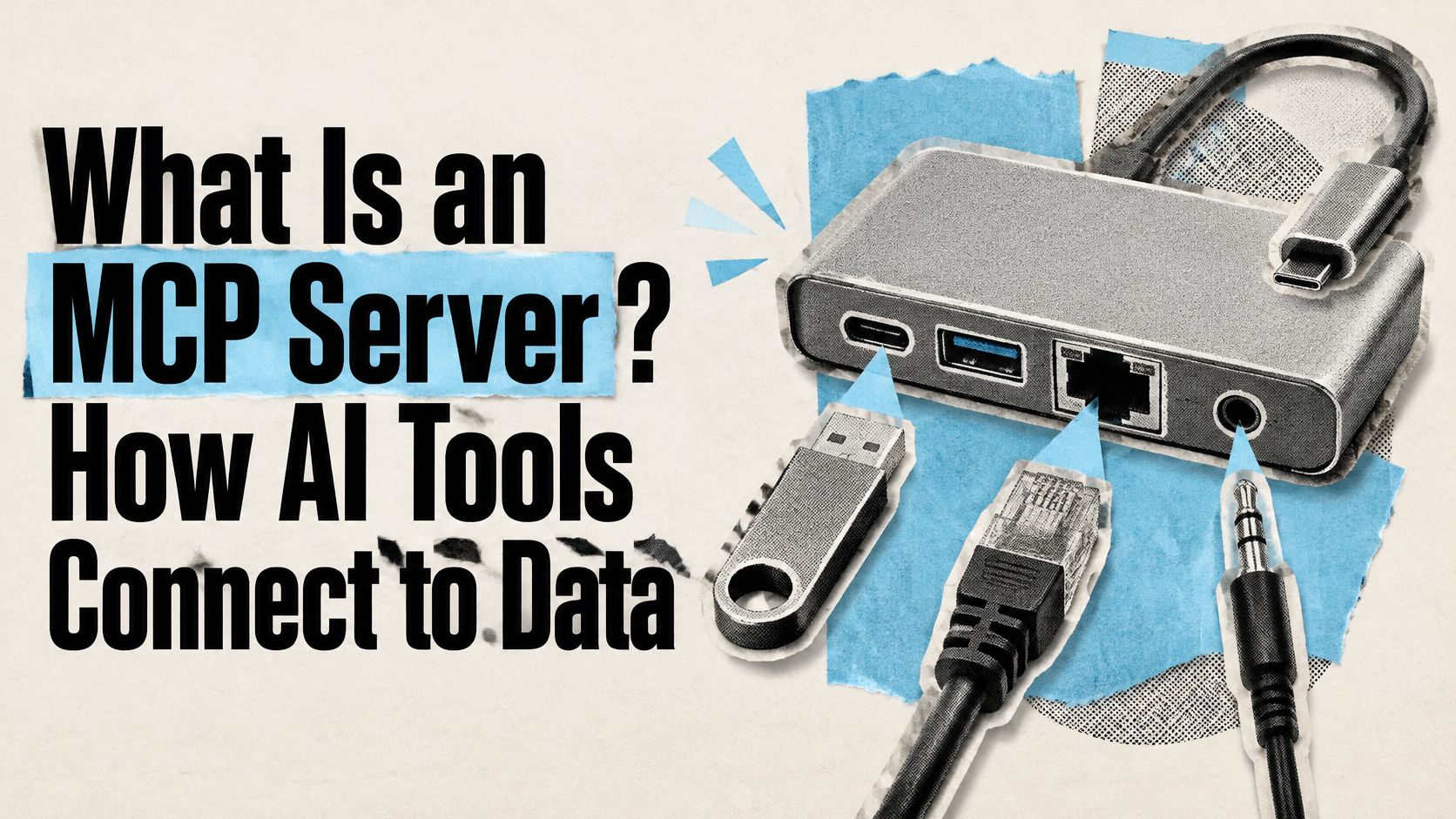
An MCP server is a service that publishes three kinds of capabilities, tools, resources, and prompts, so an AI application can discover and use them through the Model Context Protocol. If you want an AI assistant to work with a database, API, or business platform, an MCP server can provide a standard way to make selected capabilities available.
The important distinction is that the server usually connects the assistant to systems you already run. It doesn't have to replace your API, database, or application.
Table of Contents
- An MCP Server Explained in Plain Terms
- How an AI App Talks to an MCP Server
- Tools, Resources and Prompts Compared
- Following One Instagram Request Through an MCP Server
- Where an MCP Server Fits and How to Keep It Safe
- Decide Where an MCP Server Fits Your Workflow
An MCP Server Explained in Plain Terms
Think of a laptop's USB-C port. A laptop doesn't need a different kind of port for every device; the shared standard lets compatible devices connect through the same interface. An MCP server offers a similar kind of connection for software: an AI application can discover and use capabilities published by a compatible server, rather than needing a separate custom integration for every data source.
Say a marketing team wants an AI assistant to look up account information and summarize a creator's recent posts. The assistant doesn't need to become an Instagram database. An MCP server can expose specific operations for retrieving that information, while the underlying data service remains responsible for providing it.
Anthropic introduced MCP publicly on November 25, 2024, as an open standard for connecting AI assistants with external data and software tools, a shift toward shared connections instead of a separate integration for each AI application and data-source pair, as described in Anthropic's Model Context Protocol announcement. An MCP server is the service-side part of that arrangement. It publishes structured capabilities that a compatible client can discover and invoke.
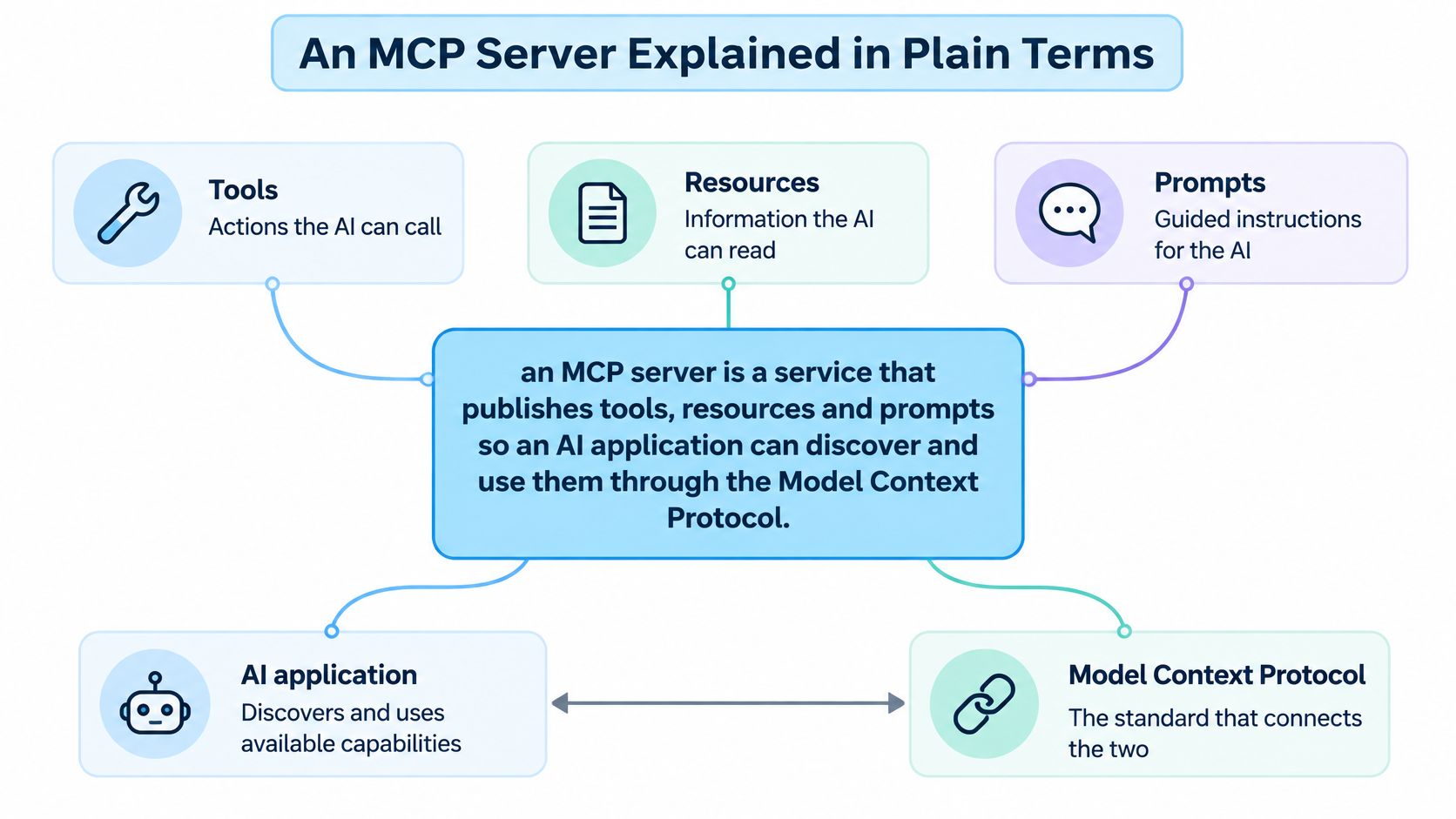
Those capabilities can connect an AI application to a database, API, file system, business platform, or analytics service. The server isn't itself the chatbot or the database. It's the part that makes chosen functions and information available through a shared interface.
A quick test: If a service publishes capabilities that a compatible AI client can discover and call, it's behaving as an MCP server.
For another plain-language explanation of the server's role, see AgentCentral's guide to MCP servers. The same basic idea applies whether the connected system holds files, company records, or social data.
How an AI App Talks to an MCP Server
Three components share the work. The host is the AI application you use. A client is the connector inside that host, and the host creates a separate client connection for each MCP server. The server advertises its capabilities and carries out the requested work against the external system.
| Component | Role | Example |
|---|---|---|
| Host | The AI application that coordinates the conversation | A chat assistant or coding tool |
| Client | Connector inside the host that talks to one server | Created once for each MCP server |
| Server | Publishes tools, resources, and prompts and runs the work | Wraps a REST API or database |
| Data source | The system the server reads or writes | An API, a database, or a file system |
Here's the usual exchange, in order:
- The host opens a connection. The host and server establish communication and identify the features each supports.
- The client discovers available tools. It can ask for the server's catalogue with
tools/list, so the model isn't relying on an operation that the server hasn't advertised. - The model selects an operation. If a user asks for account details, the model can choose a suitable tool and the client sends a
tools/callrequest with the needed arguments. - The server runs the operation. It might call an API or query a database, then return a structured result.
- The model responds to the user. It reads that result and turns it into a useful answer.
MCP messages use JSON-RPC 2.0. The protocol's roles and its three capability types, tools, resources, and prompts, are described in the MCP specification. The specification also distinguishes their control models: tools are model-controlled, resources are application-controlled, and prompts are user-controlled.
An MCP server can run locally as a process on the same machine as the host, or remotely over a network using a supported transport such as Streamable HTTP. The transport changes how the connection is made, not the meaning of the requests and results; authentication depends on the server's setup. You don't write the JSON-RPC exchange by hand during ordinary use. Once the host and server speak MCP, their software handles those messages.
For a concrete walkthrough of connecting an AI host to a server, watch the short video below.
If you're assessing an Instagram-data integration, ProfileQuery's API documentation is a place to examine how an existing data service can fit into an AI workflow.
Tools, Resources and Prompts Compared
A simple way to remember the three MCP primitives is verbs, nouns, and recipes. A tool is a verb because it performs an action. A resource is a noun because it provides information. A prompt is a recipe because it gives the user a reusable way to guide an interaction.
| Primitive | Who Controls It | What It Provides | Example |
|---|---|---|---|
| Tools | The model | Executable actions such as API calls, queries, and computations | get_profile fetches a public account's details |
| Resources | The application | Contextual data such as files, records, or API responses | A saved engagement report the app can reference |
| Prompts | The user | Reusable templates that structure a model interaction | A brief for vetting a creator's audience |
A tool lets the model request an action when it's relevant to the user's task. For example, get_profile could retrieve a public Instagram account's details. A well-named tool also makes its purpose clear, so the model has a better chance of choosing the right operation.
A resource gives the application context to provide to the model. It could be a file, a database record, or a saved API response. In an Instagram workflow, an application might supply a saved engagement report as a resource for the model to review.
A prompt is a reusable template or workflow that the user can choose to apply. For example, a creator-vetting prompt could ask the model to organize an assessment around audience fit, posting patterns, and engagement evidence.
Tools give the model actions. Resources give the application context. Prompts give the user a reusable way to shape the work.
A useful server can combine all three, so the model has actions to request, the application can supply relevant information, and the user can start from a consistent workflow. They don't have to be bundled together, though. The right mix depends on which capabilities will help with the task and which should remain unavailable to the AI application.
Following One Instagram Request Through an MCP Server
A marketing analyst asks an AI assistant, “How engaged are this creator's last 20 posts, and does the account look credible?” The assistant can request the information it needs through the MCP server, much as a receptionist routes a specific request to the right department. The server connects those requests to the underlying API; it does not replace the API or decide what counts as credible.
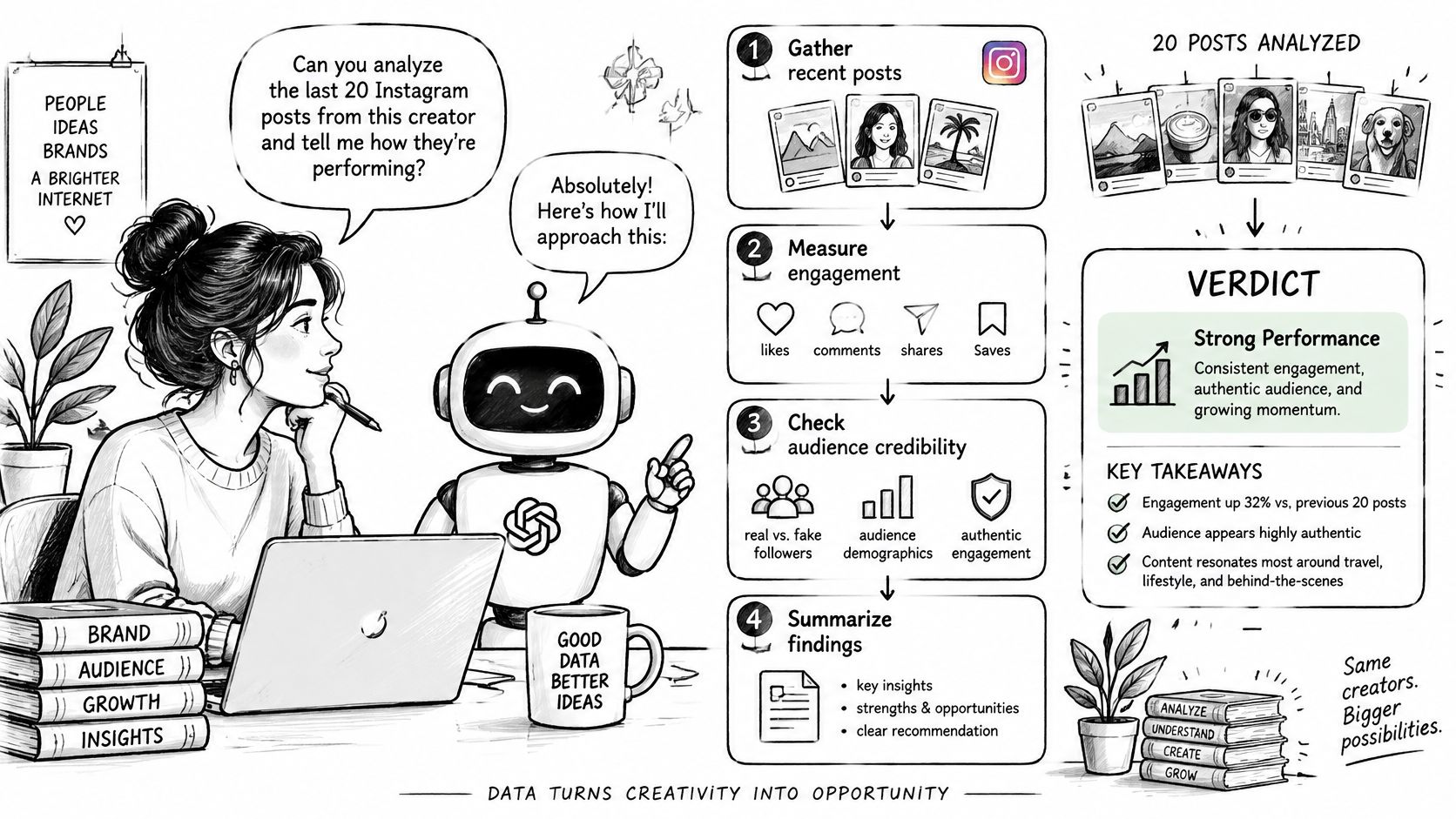
With the Instagram profile API, the server can expose the API's endpoints as tools. Tool names mirror endpoint paths with underscores, so profile/posts becomes profile_posts. The assistant can request profile and post data, then use the returned results to address the analyst's question.
- The client discovers the tools. It asks the server which operations are available, such as
profile_posts. - The model requests data. The model selects a tool and supplies its required arguments, such as the creator's username.
- The server calls the API. It sends the request to the matching endpoint and returns the API's structured result to the client.
- The assistant interprets the results. It can use the post data to answer the question, while distinguishing retrieved metrics from its own assessment.
The Instagram API's MCP server uses Streamable HTTP at https://api.profilequery.com/mcp and authenticates with the same bearer API key as the REST API. Results are billed the same way as REST requests, with meta.credits_remaining included in every result.
The tool definitions set the available operations and their expected inputs. The underlying API supplies the data and handles its own response and error behavior. The assistant presents the result; it should not treat a tool response as proof beyond the information that response contains.
Where an MCP Server Fits and How to Keep It Safe
A common misconception is that an MCP server is an AI model, a chatbot, or a replacement for the API that already provides your data. It's none of those. An MCP server is a program that exposes selected capabilities to an AI application through a standard interface. MCP's server concepts documentation describes it as a layer that can sit between an AI host and existing systems.
| Item | What It Is | Who Calls It | Replaces Your API? |
|---|---|---|---|
| MCP server | Service exposing tools, resources, and prompts over a standard protocol | An MCP client inside an AI host | No, it usually wraps the API |
| REST API | Endpoints over HTTP that return data as JSON | Your code, scripts, and apps | Not applicable, it's the data system |
| AI model | Language model that reads context and chooses actions | The host application | No, it stores no external data |
| Chatbot | Conversation interface for people | Human users | No, it's a front end |
In many integrations, the MCP server is a thin adapter around an existing REST service. It translates a model's request into an ordinary authenticated API call, then returns a structured result. The underlying API remains the data system; the MCP layer makes selected operations discoverable to compatible AI clients.
The design decision that matters most is which capabilities to expose. MCP uses a discovery-driven tool lifecycle: a client can request the catalogue with tools/list, then invoke a selected operation with tools/call. The MCP tools specification supports this pattern and recommends predictable, machine-readable results.
Use these controls when defining a tool catalogue:
- Start with focused, read-only operations. A narrow
get_profilelookup is easier to constrain than a tool that can retrieve broad account histories. - Separate write-capable tools. Keep any operation that changes an external system distinct from read-only discovery.
- Bound broad retrieval. For operations such as
audit_followers, set pagination rules, a maximum result count, and clear credit or cost limits. - Ask for approval before side effects. Require a person to approve a tool call that writes data or otherwise affects an external service.
- Make results auditable. Return structured fields, typed errors, and request identifiers so a workflow can show what happened and help diagnose failures.
Tool names and input schemas matter, too. A tool called get_posts with a clear account identifier and bounded pagination tells the model more about what it can do than a general-purpose send_http_request tool. The server should ask for missing inputs, such as a username or date range, instead of broadening a request.
MCP is an interoperability and control layer, not a replacement database or a magical autonomous agent. The host still coordinates the interaction, the model still generates the response, and the connected system still holds and serves the underlying data.
Decide Where an MCP Server Fits Your Workflow
Start with three practical questions: Which data source does the AI application need? Is the task read-only? How much would a mistake cost in data exposure or usage? A read-only lookup of public profile data can be a sensible first test. A workflow that writes to another system or retrieves broad account data needs tighter controls.
If you're comparing social-data integrations, this guide to APIs for social media can help you think through the data layer. For a different example of exposing an existing service to an AI client, Sickle's MCP server for email shows how an MCP interface can be designed around a specific workflow.
Instagram API, operated through profilequery.com, offers an MCP server for AI tools. It uses Streamable HTTP and the same bearer API key as the REST API, so a team already using that API can reuse its credentials. One compatibility limit matters for setup: clients that can't send custom headers, including claude.ai web custom connectors that require OAuth, aren't supported yet.
Choose one read-only question, connect one compatible client, run the request, and inspect the returned JSON before expanding the tool list.
Instagram API provides programmatic access to public Instagram data through a REST API and offers an MCP server that lets compatible AI tools use selected capabilities. Visit Instagram API to explore the available integration options and choose a read-only workflow to test first.
Pull Instagram data with one API call
Profiles, posts, reels, followers and more. 50 free credits, no credit card.
Get your free key