
Web Scraping vs API: Which Data Method Fits in 2026
Compare web scraping vs API on reliability, maintenance, cost and legal risk, with a decision table for choosing the right data method.
The popular advice on web scraping vs API still treats the choice like a personality test. Flexible teams scrape. Serious teams buy an API. That advice collapses the moment a job has to survive retries, a credit bill, and an audit question.
A brand team tracking mentions and a researcher reading public forum pages both want online data. Their answers differ because the sources differ, and because a failed request is not free. Speed on a happy path does not tell you the cost of a usable record. I would not pick a method from a pros-and-cons slide. I would pick the one with the lower cost per usable record that you can still explain to counsel.
Table of Contents
- Web Scraping vs API at a Glance
- How Each Method Gets Data and What It Returns
- Reliability Under Real Load and Failure Rates
- Maintenance, Cost and Scaling Trade-offs
- Legal Risk and Governance Boundaries
- Use Cases and the Method That Fits Each One
- Choose API First and Test Before You Commit
Web Scraping vs API at a Glance
Use an API when the fields you need are documented and the job repeats. Scrape when no usable interface exists.
A brand monitor and a forum researcher can both be right. One has a stable contract for known accounts. The other is reading pages that nobody ever published as an endpoint. The table is the operating comparison, not a winner's podium.
| Criterion | Web scraping | API |
|---|---|---|
| Data source | Rendered web pages (HTML) | Documented endpoints returning JSON |
| Access requirements | None for public pages; anti-bot defenses apply | API key, quotas, and provider terms |
| Output stability | Breaks when markup or scripts change | Defined schema with named fields and types |
| Coverage | Anything visible on a page, including sources with no API | Only the fields the provider exposes |
| Maintenance load | Selectors, retries, and proxies need ongoing upkeep | Client code, quota monitoring, and backoff |
| Scaling limits | IP blocks, challenges, and informal rate limits | Explicit quotas and credit budgets |
| Legal exposure | Set by site terms, data type, and jurisdiction | Set by provider terms; narrower audit trail, purpose still required |
Read the last three rows as the decision, not as a settled score. Coverage can favor scraping. Output stability, scaling limits, and legal exposure usually favor an API once the same fields are requested every day. Maintenance load is where a cheap scraper stops looking cheap.
The question that settles most jobs
Does the data you need already sit behind a documented endpoint? If yes, start with the API and treat its quotas as the constraint you plan around. If no, you are scraping by necessity. Budget for selector repair, proxy management, and monitoring from day one, not after the first layout change.
The rest of this comparison tests those rows with request paths, benchmark figures, a worked credit example, and a use-case map.
How Each Method Gets Data and What It Returns
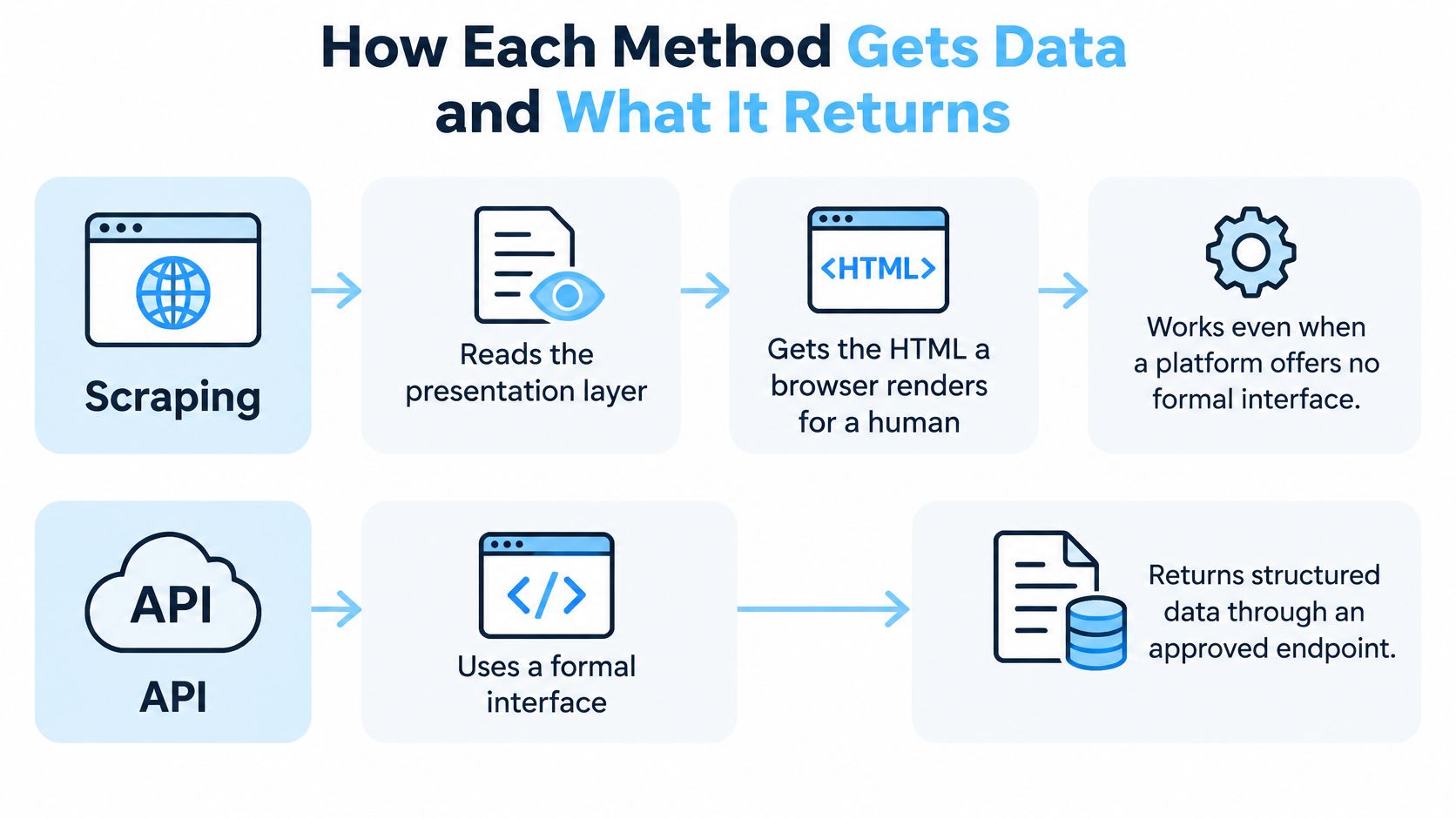
Scraping and APIs are different access models, not two flavors of the same download. Web scraping reads the presentation layer, the HTML a browser renders for a person, so it can work when a platform offers no formal interface. An API returns structured responses through documented endpoints. Authentication, rate limits, permissions, and pricing shape what you may ask for.
A 2022 Journal of Marketing study of 313 marketing articles that used web data found that 59% relied on web scraping, 12% used APIs, 9% combined both, and 20% used manual extraction. The same study concluded that APIs are generally more scalable and less likely to create the same level of legal risk as scraping, while some APIs still require paid subscriptions or authentication.
Two request paths
Scraping usually runs in four steps.
- Request the page.
- Download the HTML, and run JavaScript in a headless browser when the content renders on the client.
- Extract values with selectors.
- Normalize those values into your own schema.
An API path is shorter, and the contract is explicit.
- Send an authenticated request to a named endpoint.
- Receive JSON with defined field names and types.
- Validate types against the documented schema.
- Store the record, or pass it to the next job.
A scraper can see anything visible on the page. An API sees only the fields the provider exposes. Those fields can be fewer, but they are predictable. Our responses come back as clean, predictable JSON, which is what you want when the next consumer is a warehouse job or an agent, not a person squinting at a screenshot.
Take a public Instagram profile. One JSON object can carry username, full name, verification status, category, follower count, following count, post count, engagement rate, external URL, and profile picture URL. The same details on a rendered page need selectors that break when the layout or the client-side script changes. Field lists for that profile call are in the profile endpoint docs.
Before you choose, check that every required field appears in the documented schema. A missing field is either a reason to drop the field or a reason to scrape that one gap. It is not a reason to throw out the whole contract.
The short walkthrough below shows the same split in motion: page parsing on one side, a named endpoint on the other.
Reliability Under Real Load and Failure Rates
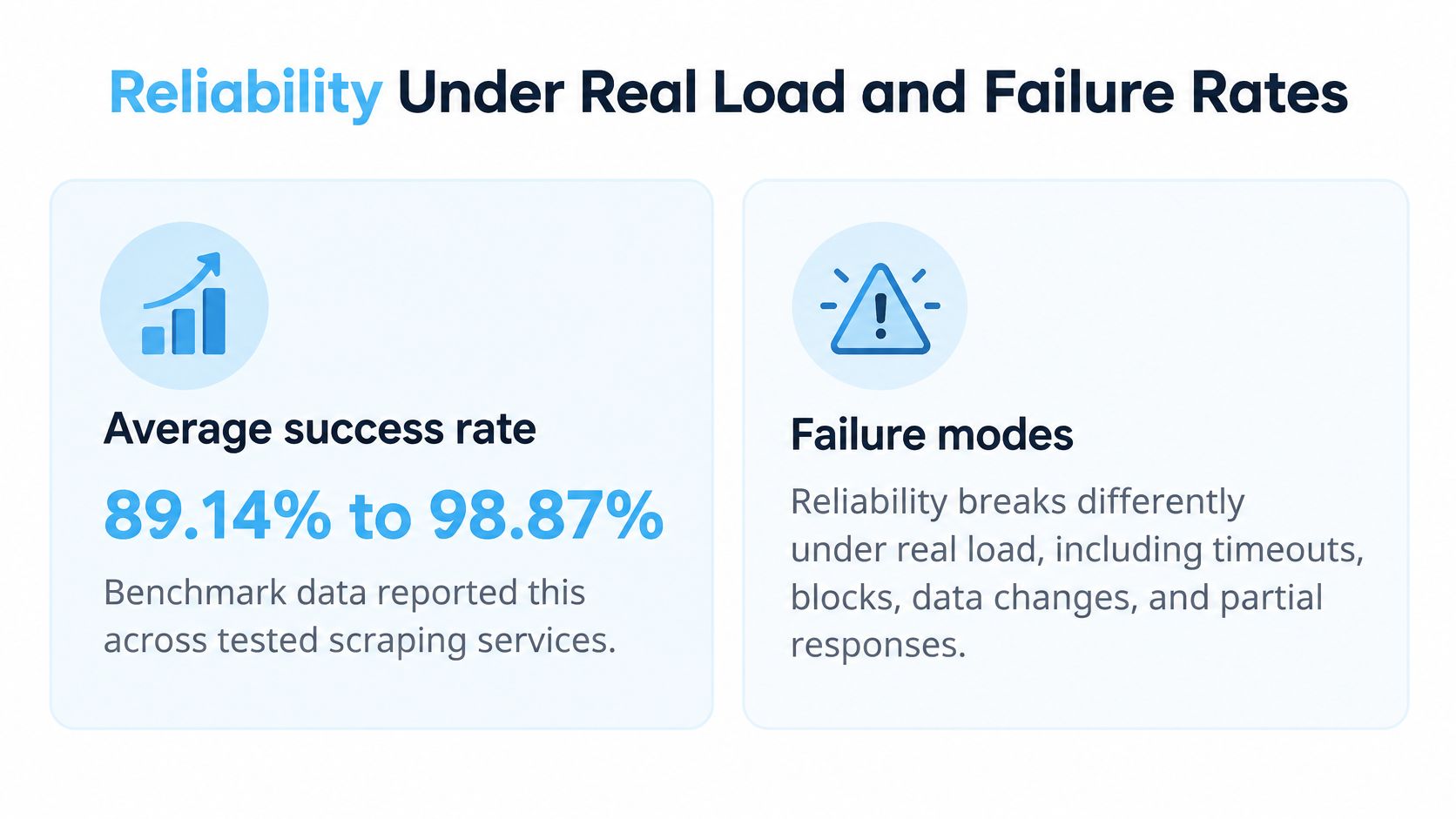
A fast average hides the records you cannot use. One published multi-provider benchmark reported average success rates from 89.14% to 98.87% and average response times from 4.0 to 14.2 seconds across tested scraping services, according to the web scraping benchmark notes. Another measurement in that benchmark put a protected-target API at 93.14% success and 11.15-second average latency at 2 requests per second, with success falling to 85.89% at 10 requests per second.
| Benchmark | Success rate | Average latency | Condition |
|---|---|---|---|
| Multi-provider scraping services | 89.14% to 98.87% | 4.0 to 14.2 seconds | Average across tested scraping services |
| Protected-target API at 2 requests per second | 93.14% | 11.15 seconds | Average at 2 requests per second |
| Protected-target API at 10 requests per second | 85.89% | Not published for that rate | Success falls at 10 requests per second |
These are not universal constants. Target, concurrency, validation rules, and provider setup change the result. They are still a useful model, because they show success moving when load moves.
How each method fails
Scraping fails in ways that look like success. Markup changes, an anti-bot challenge appears, or the page returns an empty shell with a 200 status. Your parser then stores blanks. An API fails more loudly: exhausted quotas, upstream provider errors, and documented not-found responses. Loud failures are easier to budget, because you can branch on a typed error instead of guessing whether a blank biography is real.
A 90% valid-response rate means roughly one in ten records needs a retry, a manual pass, or a reconciliation. If those retries run one after another, tail latency stretches. If the failed calls are billed, cost per usable record rises above the sticker price. A scraper that looks faster on p50 can lose once you count the retries.
A fair test
- Pick a representative set of public profiles, posts, comments, and hashtag queries.
- Run that same workload through both methods at the concurrency you plan to use. Tools that simulate user traffic to assess API performance help you hold that rate steady instead of guessing from a laptop.
- Record valid JSON rate, p50 and p95 latency, usable records per minute, retry amplification, and cost per usable record.
- Compare those results. Do not compare brochure averages.
Decision rule: The faster method loses if its valid-record rate is lower once retries are counted.
Maintenance, Cost and Scaling Trade-offs
Scraping often looks cheap on a spreadsheet and expensive on a timesheet. The bill is engineer hours repairing selectors after a layout change, headless-browser capacity, proxy or IP rotation, retry logic, and schema normalization. API cost is mostly client code, quota monitoring, backoff, and the credit budget.
Published example rates from our pricing, as of this writing, and worth rechecking before you model a year of spend: pay-as-you-go starts at $8.00 per 1,000 requests after free credits are used. The Growth plan is $70 one-time for 10,000 credits, which is $7.00 per 1,000 requests. Current packages are on the pricing page.
A worked credit example
Say a monthly job sends 50,000 requests at the pay-as-you-go rate. That is 50 times $8.00, or $400 before any retries. If only 90% of responses are usable, you did not buy 50,000 records. You bought 45,000. Cost per usable record is $400 divided by 45,000, about $0.0089, against a nominal $0.008. Sequential retries on the failed tenth push the bill higher still.
Model credits per endpoint, not per "record" in your database. Most requests cost one credit. Some deeper endpoints cost two. Invalid input and upstream provider failures are not charged. A documented not-found can still cost credits when Instagram was queried, so a bad username list is not a free dry run.
What breaks as volume grows
Scrapers meet IP blocks, challenges, and informal limits that nobody published. You discover the ceiling by hitting it. An API scales through explicit quotas. You can set bounded concurrency, exponential backoff, and a hard credit ceiling before the job starts.
- Maintenance hours per month: selector repairs and proxy incidents versus quota alerts and client updates.
- Credits per usable record: nominal price divided by valid-record rate, plus retry amplification.
- Peak concurrency: the rate where success stopped falling in your own test, not the rate on a marketing page.
- Cost of a failed run: paid empty responses, on-call time, and downstream jobs that ingested blanks.
A low sticker price with a high retry rate is a high price.
Legal Risk and Governance Boundaries
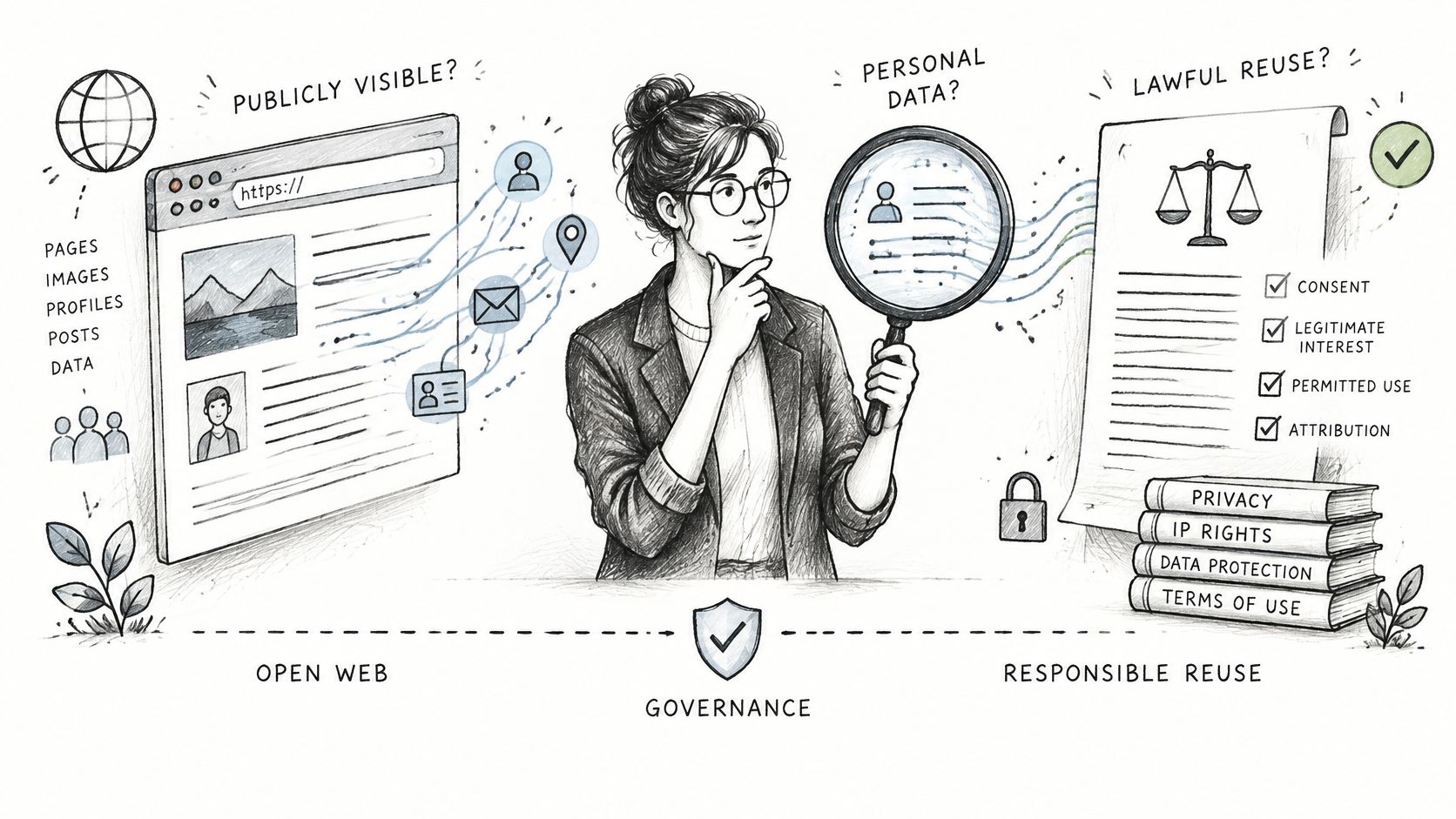
Public visibility is not the same thing as lawful reuse. That is the question most web scraping vs API write-ups skip, because it does not fit a speed chart.
Risk turns on four facts: whether the data identifies people, whether collection breaches site terms, whether copyright or database rights apply, and whether the workflow bypasses technical controls. Current legal guidance from AIMultiple is clear that no universal rule makes scraping legal or illegal. Risk varies by jurisdiction, data type, access method, contractual terms, and intended use. robots.txt is only a technical signal. It does not itself give you a privacy-law basis for collecting personal data.
What an API changes, and what it does not
A structured API can narrow collection. Documented fields, predictable request identifiers, explicit errors, and controlled credit usage make a pull easier to reconstruct six months later. That is an audit advantage. It is not a pardon.
An API makes collection easier to audit. It does not make the purpose lawful.
You still need a lawful purpose, a retention policy, data-minimization rules, and a bright line between public profile intelligence and sensitive personal profiling. Trust and safety teams and brand-monitoring teams should write that down before launch, not after a complaint.
Governance checklist
- State the purpose: one sentence a reviewer can disagree with.
- List necessary fields: drop anything the decision does not use.
- Set a retention period: and a deletion owner.
- Record who accesses the data: including agents and vendors.
- Name the review owner: a person, not a shared inbox.
The architecture I would run is a governed API-first workflow, with page-level checks only where a required field is missing. Unrestricted scraping and blind trust in any endpoint are both weaker positions.
Use Cases and the Method That Fits Each One
Match the job, then read the fallback before you commit. These are the situations teams hit most often when the subject is public Instagram data: influencer analytics, brand monitoring, lead generation, AI agents, social commerce, and trust and safety.
| Situation | Better fit | Why | Fallback |
|---|---|---|---|
| Recurring monitoring of known accounts | API | Stable JSON and predictable cost per record | Scrape only the fields the API omits |
| Discovering new hashtags or sources with no endpoint | Scraping | Reaches pages no API exposes | Validate hits through an API once identified |
| Influencer due diligence on follower quality | API | Audit and account-history fields arrive in structured form | Manual review of flagged accounts |
| Brand mention and UGC collection | API | Posts, comments, and hashtag endpoints in one integration | Scraping for locations the API does not cover |
| AI agent tool calls | API | Typed errors and request IDs let agents retry or stop | Browser retrieval for exceptions only |
| One-off research on a site with no data access | Scraping | No formal interface exists | Limit scope and check terms first |
| Trust and safety impersonation checks | API | Repeatable fields and an audit trail | Page-level review for disputed cases |
Where the API is the better fit
Recurring monitoring of known accounts wants stable JSON and a cost you can forecast. Influencer due diligence wants follower-quality and account-history fields in a form you can join, not a screenshot. Brand mention and user-generated content collection wants posts, comments, and hashtags in one integration. Impersonation checks want the same fields every time, plus an audit trail when someone disputes a takedown.
Agent workloads belong in that group for a different reason. InfoWorld's look at how agents consume external data describes builders using both browsing and formal integrations, and a 2025 survey of web agents describes systems that combine search APIs with scrapers. The operational gap is the contract: typed errors, stable schemas, request IDs, processing time, and an explicit cost signal so the agent can retry, narrow the query, or stop spending credits. A layout change is a bad thing for an agent to "interpret."
One key across profile, post, comment, hashtag, and audit calls cuts the number of retrieval interfaces you maintain. How that fits a social workflow is spelled out in this guide to an API for social media data.
Where scraping still wins
Two rows go the other way. Discovering new hashtags or sources that no endpoint covers is a scraping job, then you validate the hits through an API once you know the names. A one-off read of a site with no data access is also scraping, with a tight scope and a terms check before anyone schedules it.
Hybrid is the normal production shape. APIs carry high-confidence entities and repeated automation. Scraping or a browser pass covers discovery and exceptions. Do not invert that. A scraper as the spine, with an API as a occasional patch, recreates the maintenance bill you were trying to escape.
Choose API First and Test Before You Commit
Use an API first for repeatable work on known entities. Reserve scraping for discovery, exceptions, and sources no endpoint covers. Hybrid is the defensible default, not a compromise, because the bulk of the workload stays on an auditable path and scraping stays small.
You do not need Instagram OAuth, the Graph API, or app approval to try this path. Create an account, get an API key, and send requests.
- List the fields the workload needs.
- Check each field against the documented endpoint schema.
- If a required field is missing, decide whether it is essential or can be dropped.
- Run a pilot with the reliability measures from a real load test: valid rate, p95, retries, and cost per usable record.
- Set a credit budget and an alert threshold.
- Finish a governance review before production.
If you want a low-stakes way to see request and response shape before writing a client, browse API playground documentation and apply the same habit here: one call, inspect the JSON, then scale.
First test: send one profile request and one posts request to the candidate API. Run the same 100 accounts through your scraper. Compare valid-record rate and cost per usable record.
Pass condition: the API hits your target valid-record rate at a lower cost per usable record, and the governance review is signed. The method that wins is the one with the lower cost per usable record that also passes that review.
If you are choosing between maintaining scrapers and calling a documented endpoint for public Instagram data, our REST API returns structured JSON for profiles, posts, comments, hashtags, and account checks on prepaid credits, without a subscription. That is the API side of the operating decision in this article: predictable fields, explicit credits, and a path you can audit. Start with a single profile call at Instagram API and compare its valid records against your current scraper before you commit the pipeline.
Pull Instagram data with one API call
Profiles, posts, reels, followers and more. 50 free credits, no credit card.
Get your free key