
Brand Monitoring Tools: 10 Options Compared for 2026
Compare 10 brand monitoring tools on coverage, alerts, social listening, and UGC capabilities, with honest limits and use cases for 2026.
A product manager hears about a viral Instagram post from a customer email before the monitoring dashboard shows it. The post has been live for two days. Comments mix praise with a shipping complaint, and a competitor has already replied in the thread. That gap is common, and it usually means the tool's coverage or alerting never reached the team that could act.
Marketing wants a keyword inbox and a share-of-voice number for the weekly meeting. PR wants news, forums, and a spike they can brief before it becomes a headline. Engineering wants records they can store, replay, and join to product data. A dashboard built for the first job can be a poor fit for the third.
A tool that never ingested the post cannot alert you about the post. Coverage is the feature. Everything else is presentation.
Instagram makes the split sharper. Private profiles, direct messages, and much of Stories sit outside what listening vendors can collect, and several workflows only work after you connect a Business or Creator account. If the brief is every public post and comment, in JSON, on your schedule, treat the Instagram API as a data source to build on rather than a finished dashboard. For the wider listening market, Podzone's social listening tool comparison is a useful map. The ten options below are sorted by job: developer data access, keyword alerting, visual UGC discovery, and enterprise research.
Table of Contents
- 1. Instagram API
- 2. Brand24
- 3. Awario
- 4. Mentionlytics
- 5. BrandMentions
- 6. YouScan
- 7. Brandwatch
- 8. Talkwalker
- 9. Meltwater
- 10. Sprout Social
- 10. Sprout Social
- 10. Sprout Social
- Brand monitoring tools compared by pricing model, free trial, API access, and best use
- Matching Your Brand Monitoring Tools to the Job at Hand
- 1. Instagram API
- 2. Brand24
- 3. Awario
- 4. Mentionlytics
- 5. BrandMentions
- 6. YouScan
- 7. Brandwatch
- 8. Talkwalker
- 9. Meltwater
- 10. Sprout Social
- Matching Your Brand Monitoring Tools to the Job at Hand
1. Instagram API
Instagram API is the option I recommend when monitoring has to feed an application, not a shared inbox. We expose public Instagram data through one REST API and one API key. You don't build Instagram OAuth, sit through app review, or complete business verification. That setup is what usually stalls an internal prototype for weeks.
One key covers profiles, posts, Reels, Stories, comments, followers, hashtags, locations, and search. Insight calls return engagement rate, best time to post, account stats, a fake-follower audit, lead-fit scoring, and a niche classifier. Responses are predictable JSON with typed errors, request IDs, credits charged, and remaining balance. An OpenAPI spec, cURL, JavaScript, and Python examples, plus an MCP server, let both apps and agents call the same paths. Teams that need to integrate Instagram metrics into apps usually fail when the payload isn't stable, not when the chart is missing.
How a monitoring job should call it
For a store or venue, poll location posts on a schedule, store post IDs you've already seen, and stop paging when you hit a known ID. Each page is one credit. Hashtag analysis returns competitiveness and velocity, which beats a raw count when you're judging a campaign tag. Comment sentiment and image vision tags support a UGC or trust check without a second vendor. A concrete wiring pattern is in our social media monitoring API guide.
- Billing that matches a job, not a seat: new accounts get 50 credits with no card. Prepaid packs start at $20 for 2,500 credits ($8 per 1,000), and Growth is $70 for 10,000 credits. There's no subscription.
- What a credit buys: most requests cost one credit, and some deeper endpoints cost two. Invalid input and upstream outages aren't charged. A not-found can still cost a credit if Instagram was queried.
- What you will not get: private or login-gated profiles. Availability still depends on Instagram and the upstream provider.
Practical rule: Treat this as a data source you build a dashboard on, not as the dashboard. If nobody on the team will write a collector, pick a listening suite below.
A 2025 social-listening industry compilation identifies Instagram as the leading data source and names competitive benchmarking as the dominant use case for trend discovery. The same compilation says 62% of social marketers used social-listening tools in 2025 to spot trends and brand mentions in real time. Stable IDs, timestamps, pagination, and credit metadata are what let a job resume. Another chart inside someone else's UI won't.
2. Brand24
Brand24 is the alert-first tool I reach for when a marketing team wants mentions, sentiment, and a competitor view without standing up a pipeline.
It tracks social platforms, news, blogs, forums, podcasts, and review sites. The daily workflow is a mention feed with sentiment, reach, share of voice, and influencer analysis, plus alerts when conversation volume jumps. Dashboards and shareable reports cover the Monday meeting. Reviewers describe the interface as easy for organizing mentions and comparing competitors. That matches a typical rollout. A coordinator can own it without a query specialist.
API cost and the Instagram catch
A REST API, and MCP options, let you push mention data into another app. API access costs extra, and only on eligible plans, so budget it as an add-on. Entry plans also cap keywords, users, and mention volume. A noisy category term hits those caps faster than a demo week suggests.
Instagram depends on platform access, and the documented path needs a connected Business or Creator account. You don't get a complete public firehose because the source list shows the logo. Brand24 fits teams who will live in the inbox.
Influencer Marketing Hub's summary of industry research reports that in 2025, 62% of marketing professionals used social listening as a core data source. Brand24 matches that report-and-alert habit. It doesn't replace a warehouse feed when every field has to land in your own system.
3. Awario
If the last tool is a polished inbox, Awario is the Boolean workbench. You track keywords, handles, hashtags, and URLs across social and web sources, with unlimited keywords inside each monitoring topic. Competitor reports, influencer discovery, CSV export, PDF reports, and white-label reporting sit on the plans. API access is listed, not hidden behind a sales call.
Published pricing and a free trial with no credit card make it one of the easier products to test this week. Reviewers use it to watch brands, competitors, and openings they can act on. That's the right job for a small research pod that will open the Boolean editor.
- Topics, not seats, are the design: pack misspellings and product names into one topic instead of buying another project.
- Exports are enough for a weekly share: CSV and PDF for internal use, white-label when an agency sends the file under its own name.
- Sentiment still needs a person: a reviewer noted it could be better, so don't let an automated label close a complaint.
Entry plans restrict team size and how many topics you can run. Instagram private content and DMs are unavailable, and some public posts only appear with connected accounts or specific hashtags and tags. Untagged comments are the hole. Start at Awario if you'll tune queries yourself.
4. Mentionlytics
Mentionlytics puts an interpretation layer on social and web monitoring. The Social Intelligence Advisor can summarize a thread, cluster mentions by topic, detect emotion, and flag a change that doesn't look like the usual pattern. That's the difference between an inbox and a first-pass analyst.
Public pricing is the practical advantage. You can budget a Basic plan, then move to agency or enterprise tiers without waiting on a quote. Higher plans add white-label reports. MCP support lets a compatible AI tool ask questions against brand data you already collected, which is useful once the archive is clean and risky if it isn't.
The Basic plan limits keyword rules, mention volume, and update frequency. A launch you need to watch hour by hour will feel late on a slow refresh. AI summaries and sentiment also miss sarcasm and ambiguous brand names. I still want a person to confirm a crisis flag before it hits Slack. Instagram access stays subject to platform limits. Logo-only photos and private stories won't appear because an advisor is in the product. See current tiers on Mentionlytics.
5. BrandMentions
BrandMentions publishes the limits other vendors save for a call. Keywords, mentions, projects, users, and update frequency are on the plan page, so you can estimate capacity before anyone schedules a demo. Higher tiers raise those caps and refresh more often. A seven-day trial is enough to learn whether your brand term is noisy.
Coverage runs across social, news, blogs, forums, and websites, with AI sentiment and multilingual mentions. Reports on the higher tiers suit a multi-brand team that still wants to buy self-serve. That's a real buying advantage for a marketing ops lead who has to justify seats without a custom quote.
Starter is one user and daily updates. Fine for a founder, wrong for a newsroom that expects a spike inside the hour.
Daily updates are a product choice, not a defect, but they're the wrong product if on-call expects a page within minutes.
REST API access is Enterprise only. A developer who needs mention JSON shouldn't start here expecting a public data plan. Keyword and monthly mention quotas will also pinch a high-volume category term. Check the matrix on BrandMentions against last month's real volume, not the sample project.
6. YouScan
Text listening misses the photo that shows your packaging and never types your name. YouScan is built around that miss. Visual Insights can identify logos, objects, scenes, and actions in images, then sit next to text listening, sentiment, trend detection, audience insights, and custom dashboards. Insights Copilot answers questions against the listening set you already have.
Reviewers praise source breadth, visual and audience insight, and support. Some unlimited plans include unlimited users and searches, subject to the package. I use this shape of product when UGC is mostly pictures. I don't use it when the job is "email me when the brand name appears."
Visual Insights and logo recognition depend on the plan, and logo recognition may cost extra. Detection also creates noise. A logo in the background of a concert photo isn't a brand conversation, and someone has to filter that. Reviewers also say dashboard customization could go deeper. For a basic alert desk, YouScan is more product than the workflow needs. Judge the visual add-on on YouScan with a set of your own unlabeled photos, not with a keyword you already rank for.
7. Brandwatch
Brandwatch is the enterprise research platform, not a lightweight alerter. Configurable Boolean queries, historical data, multi-language analysis, sentiment, and AI alerts for unusual mention patterns cover social, news, blogs, forums, and reviews. The depth is real, and so is the setup cost. Someone has to own the queries.
A Brandwatch historical data guide reported six years of archived online data by 2017, built for consumer insights, earlier campaign checks, competitor benchmarks, and product development. One week of mentions mixes a campaign spike with seasonality. A multi-year series is how you separate them. Pull the same fields for the category, competitors, your brand, and the products, then compare years.
Pricing is quote-based, so you can't line it up on a spreadsheet against a prepaid credit pack. Instagram collection is documented for public posts and targeted sources, and it still has source and data limits. When you need your own store of posts rather than this archive, a social listening API is the companion path, not a substitute for the research depth. Talk to Brandwatch only if you have an analyst who will tune queries after the sale.
8. Talkwalker
Talkwalker listens across social networks, websites, news, blogs, forums, and other sources, with real-time alerts, sentiment, topic analysis, and conversation clustering. The split from a text tool is visual listening in images, video, and audio, so a logo in a clip can count when nobody types the brand. That's the workflow I want for a film, sports, or packaging brand.
The breadth fits a global brand and a PR desk that reports across markets. Custom dashboards, alerts, and AI-assisted analysis, including AI visibility features, give each team a view without a separate export ritual. Plans are custom quote only. You'll book a demo before you know the number, and the demo will show more modules than you'll turn on.
For a five-person brand team, the catalog is larger than the job. Confirm the source list, the volume cap, and how far history goes on the exact plan. Those three lines decide whether "broad" is broad in your markets. Small teams often pay for channels they never open. Start that check on Talkwalker before you compare feature grids.
9. Meltwater
Meltwater is a communications platform that includes social listening, not a keyword box with a news add-on. Monitoring spans social, news, forums, and other media, with competitor benchmarking, share of voice, sentiment, spike alerts, dashboards, executive reporting, and influencer workflows. Product material describes real-time alerts and AI-assisted insights. I pick it when PR owns the budget and social is one input to a coverage report.
Pricing is custom and moves with products, markets, users, and services. The surface area takes training. People who expected a simple mention feed often stall in the first month, because the value shows up only after source sets and tags are disciplined.
Instagram monitoring requires account connections. Private accounts and Stories are unavailable for social listening. If Stories are where customers complain, this platform won't show that thread. Keep Meltwater for earned media, and add a public-data collector only if you need both. Scope the quote on Meltwater around markets and seats, or the proposal will sprawl.
10. Sprout Social
Sprout Social is a management suite first. Publishing, a shared inbox, collaboration, and analytics are the core. Listening is a separate add-on for themes, sentiment, and spike alerts, with sources that include Instagram, Facebook, Reddit, YouTube, and the web. That split is the buying decision. If the same people who reply to comments also need topic spikes, one login beats two tools. If listening is a research job with no publishing duty, you're paying for a suite you won't use.
Wait, I cannot reuse image. Sprout image is different URL. Let me check - I used meltwater image and must use sprout image:
https://cdnimg.co/e6cc7b86-615f-48d6-8b7f-e1fb04234e6c/screenshots/ the sprout one is not in my draft correctly. The plan says:
 "The post has been live for two days." (8) =26 "Comments mix praise with a shipping complaint, and a competitor has already replied in the thread." (16) =42 "That gap is common, and it isn't always a sign you bought a bad product." (16) =58 "Brand monitoring tools differ in what they can see, how they alert, and which team they're built for." (20) =78
"Marketing usually wants..." (22) =100 "PR wants..." (16) =116 "Engineering wants..." (14) =130 "Those are different jobs..." (22) =152
blockquote ~20 =172
"Instagram makes..." (6) =178 "Across this category..." (5) =183 "Private profiles..." (28) =211 "If the brief..." (28) =239 "Podzone..." (18) =257 "The ten options..." (18) =275
Opening ~275. Within 218-294. Good.
Item 1: I'll estimate 340. OK range 272-368.
I need to make sure item 1 doesn't exceed 368. My draft is fairly long. Let me count item 1 roughly...
Paragraphs ~120 + how to ~90 + bullets ~80 + blockquote ~30 + last para ~80 = 400. TOO LONG. Cut ~50 words.
Cuts for item 1:
- Shorten first paragraphs
- Shorten last source paragraph
I'll trim in the final output.
Items 2-10 need ~170-227. My drafts might be ~160-200. I'll add a sentence where thin.
Conclusion ~380. OK.
Sprout: no duplicate image.
Also check: I must not have "Wait" anywhere.
Double-check image for item 10: the user prompt for item 10 does NOT include an Image line. Correct to omit.
One problem: in section 10 of my composed text I included meltwater image by mistake in the thinking block. The output below is the only thing that counts. I'll write it cleanly.
Also rule "name Instagram API at most 3 times outside the final CTA". H2: Instagram API (1) First sentence: Instagram API (2) CTA is separate. Don't use the name elsewhere. I didn't in other sections. Good.
profilequery.com only in CTA. Blog URLs are different. Good.
No emdash. I'll scan... I don't think I used any.
"Don't" contractions used. Good.
H3s without colons. Good.
I'll slightly shorten item 1 in the final write.
Also item 2-10: ensure 2-4 sentence paragraphs and visual breaks. Most have image which counts? The rule says H3, bullet list, blockquote. Image might not count as the required break. I have H3 or bullets or blockquote in most. Item 8 and 9 are more prose + image. Image isn't listed as the formatting element. For item 8 I should add a short bullet or blockquote to avoid 3+ prose paras.
Item 8 structure: para, para, image, para. That's 2 prose then image then 1. OK if image breaks. To be safe add bullets.
I'll finalize now.A product manager hears about a viral Instagram post from a customer email, not from the monitoring dashboard. The post has been live for two days. Comments mix praise with a shipping complaint, and a competitor has already replied in the thread. That gap is common, and it isn't always a sign you bought a bad product. Brand monitoring tools differ in what they can see, how they alert, and which team they're built for.
Marketing usually wants a keyword inbox and a share-of-voice number for the weekly meeting. PR wants news, forums, and a spike they can brief before it becomes a headline. Engineering wants records they can store, replay, and join to product data. Those are different jobs, and a strong dashboard for the first one can be a poor fit for the third.
A tool that never ingested the post cannot alert you about the post. Coverage is the feature. Everything else is presentation.
Instagram makes the split sharper. Across this category, coverage is restricted. Private profiles, direct messages, and much of Stories sit outside what a listening vendor can collect, and several workflows only work after you connect a Business or Creator account. If the brief is every public post and comment, in JSON, on your schedule, a finished dashboard won't be the whole system. Podzone's social listening tool comparison is a useful map of the wider category. The ten options below are sorted by job: developer data access, keyword alerting, visual UGC, and enterprise research.
1. Instagram API
Instagram API is the option I recommend when monitoring has to feed an application, not a shared inbox. We expose public Instagram data through one REST API and one API key. You don't build Instagram OAuth, sit through app review, or complete business verification. That setup is what usually stalls an internal prototype.
One key covers profiles, posts, Reels, Stories, comments, followers, hashtags, locations, and search. Insight calls return engagement rate, best time to post, account stats, a fake-follower audit, lead-fit scoring, and a niche classifier. Responses are predictable JSON with typed errors, request IDs, credits charged, and remaining balance. An OpenAPI spec, plus cURL, JavaScript, and Python examples, and an MCP server, let apps and agents call the same paths. Teams that need to integrate Instagram metrics into apps usually fail when the payload isn't stable, not when a chart is missing.
How a monitoring job should call it
For a store or venue, poll location posts on a schedule, store post IDs you've already seen, and stop paging when you hit a known ID. Each page is one credit. Hashtag analysis returns competitiveness and velocity, which beats a raw count when you're judging a campaign tag. A concrete wiring pattern is in our social media monitoring API guide.
- Billing that matches a job, not a seat: new accounts get 50 credits with no card. Prepaid packs start at $20 for 2,500 credits ($8 per 1,000), and Growth is $70 for 10,000 credits. There's no subscription.
- What a credit buys: most requests cost one credit, and some deeper endpoints cost two. Invalid input and upstream outages aren't charged. A not-found can still cost a credit if Instagram was queried.
- What you will not get: private or login-gated profiles. Availability still depends on Instagram and the upstream provider.
Practical rule: Treat this as a data source you build a dashboard on, not as the dashboard. If nobody will write a collector, pick a listening suite below.
A 2025 social-listening industry compilation identifies Instagram as the leading data source and names competitive benchmarking as the dominant use case for trend discovery. The same compilation says 62% of social marketers used social-listening tools in 2025 to spot trends and brand mentions in real time. Stable IDs, timestamps, pagination, and credit metadata are what let a job resume.
2. Brand24
Brand24 is the alert-first tool I reach for when a marketing team wants mentions, sentiment, and a competitor view without standing up a pipeline.
It tracks social platforms, news, blogs, forums, podcasts, and review sites. The daily workflow is a mention feed with sentiment, reach, share of voice, and influencer analysis, plus alerts when conversation volume jumps. Dashboards and shareable reports cover the Monday meeting. Reviewers describe the interface as easy for organizing mentions and comparing competitors. A coordinator can own it without a query specialist.
API cost and the Instagram catch
A REST API, and MCP options, let you push mention data into another app. API access costs extra, and only on eligible plans, so budget it as an add-on. Entry plans also cap keywords, users, and mention volume. A noisy category term hits those caps faster than a quiet demo week suggests.
Instagram depends on platform access, and the documented path needs a connected Business or Creator account. You don't get a complete public firehose because the source list shows the logo. Brand24 fits teams who will live in the inbox. Influencer Marketing Hub's summary of industry research reports that in 2025, 62% of marketing professionals used social listening as a core data source. Brand24 matches that report-and-alert habit. It doesn't replace a warehouse feed when every field has to land in your own system.
3. Awario
If the last tool is a polished inbox, Awario is the Boolean workbench. You track keywords, handles, hashtags, and URLs across social and web sources, with unlimited keywords inside each monitoring topic. Competitor reports, influencer discovery, CSV export, PDF reports, and white-label reporting sit on the plans. API access is listed, not hidden behind a sales call.
Published pricing and a free trial with no credit card make it one of the easier products to test this week. Reviewers use it to watch brands, competitors, and openings they can act on. That's the right job for a small research pod that will open the Boolean editor.
- Topics, not extra projects: pack misspellings and product names into one topic instead of buying another project slot.
- Exports for the weekly share: CSV and PDF for internal use, white-label when an agency sends the file under its own name.
- Sentiment still needs a person: a reviewer noted it could be better, so don't let an automated label close a complaint.
Entry plans restrict team size and how many topics you can run. Instagram private content and DMs are unavailable, and some public posts only appear with connected accounts or specific hashtags and tags. Untagged comments are the hole. Start at Awario if you'll tune queries yourself and you can live with that Instagram gap.
4. Mentionlytics
Mentionlytics puts an interpretation layer on social and web monitoring. The Social Intelligence Advisor can summarize a thread, cluster mentions by topic, detect emotion, and flag a change that doesn't look like the usual pattern. That's the difference between an inbox and a first-pass analyst.
Public pricing is the practical advantage. You can budget a Basic plan, then move to agency or enterprise tiers without waiting on a quote. Higher plans add white-label reports. MCP support lets a compatible AI tool ask questions against brand data you already collected, which helps once the archive is clean and misleads when it isn't.
The Basic plan limits keyword rules, mention volume, and update frequency. A launch you need to watch hour by hour will feel late on a slow refresh. AI summaries and sentiment also miss sarcasm and ambiguous brand names. I still want a person to confirm a crisis flag before it hits Slack. Instagram access stays subject to platform limits. Logo-only photos and private stories won't appear because an advisor is in the product. See current tiers on Mentionlytics.
5. BrandMentions
BrandMentions publishes the limits other vendors save for a call. Keywords, mentions, projects, users, and update frequency are on the plan page, so you can estimate capacity before anyone schedules a demo. Higher tiers raise those caps and refresh more often. A seven-day trial is enough to learn whether your brand term is noisy.
Coverage runs across social, news, blogs, forums, and websites, with AI sentiment and multilingual mentions. Reports on the higher tiers suit a multi-brand team that still wants to buy self-serve. That's a real advantage for a marketing ops lead who has to justify seats without a custom quote.
Starter is one user and daily updates. Fine for a founder, wrong for a desk that expects a spike inside the hour.
Daily updates are a product choice, not a defect, but they're the wrong product if on-call expects a page within minutes.
REST API access is Enterprise only. A developer who needs mention JSON shouldn't start here expecting a public data plan. Keyword and monthly mention quotas will also pinch a high-volume category term. Check the matrix on BrandMentions against last month's real volume, not the sample project in the trial.
6. YouScan
Text listening misses the photo that shows your packaging and never types your name. YouScan is built around that miss. Visual Insights can identify logos, objects, scenes, and actions in images, then sit next to text listening, sentiment, trend detection, audience insights, and custom dashboards. Insights Copilot answers questions against the listening set you already have.
Reviewers praise source breadth, visual and audience insight, and support. Some unlimited plans include unlimited users and searches, subject to the package. I use this shape of product when UGC is mostly pictures. I don't use it when the job is a simple name alert.
Visual Insights and logo recognition depend on the plan, and logo recognition may cost extra. Detection also creates noise. A logo in the background of a concert photo isn't a brand conversation, and someone has to filter that. Reviewers also say dashboard customization could go deeper. For a basic alert desk, YouScan is more product than the workflow needs. Judge the visual add-on on YouScan with your own unlabeled photos, not with a keyword you already rank for in text.
7. Brandwatch
Brandwatch is the enterprise research platform, not a lightweight alerter. Configurable Boolean queries, historical data, multi-language analysis, sentiment, and AI alerts for unusual mention patterns cover social, news, blogs, forums, and reviews. The depth is real, and so is the setup. Someone has to own the queries after the contract is signed.
A Brandwatch historical data guide reported six years of archived online data by 2017, built for consumer insights, earlier campaign checks, competitor benchmarks, and product development. One week of mentions mixes a campaign spike with seasonality. A multi-year series is how you separate them. Pull the same fields for the category, competitors, your brand, and the products, then compare years.
Pricing is quote-based, so you can't line it up against a prepaid credit pack. Instagram collection is documented for public posts and targeted sources, and it still has source and data limits. When you need your own store of posts rather than this archive, a social listening API is the companion path, not a substitute for the research depth. Talk to Brandwatch if you have an analyst who will tune queries after the sale.
8. Talkwalker
Talkwalker listens across social networks, websites, news, blogs, forums, and other sources, with real-time alerts, sentiment, topic analysis, and conversation clustering. The split from a text tool is visual listening in images, video, and audio, so a logo in a clip can count when nobody types the brand.
The breadth fits a global brand and a PR desk that reports across markets. Custom dashboards and AI-assisted analysis, including AI visibility features, give each team a view without a separate export ritual. Plans are custom quote only. You'll book a demo before you know the number.
- Confirm the source list: "broad" is only broad in the markets you buy.
- Confirm volume and history: caps and lookback decide whether a global brand can compare this year with last year.
- Skip it for a tiny team: a five-person brand desk often pays for channels nobody opens.
Those three checks matter more than the module catalog. Start them on Talkwalker before you compare feature grids with a simpler alerter.
9. Meltwater
Meltwater is a communications platform that includes social listening, not a keyword box with a news add-on. Monitoring spans social, news, forums, and other media, with competitor benchmarking, share of voice, sentiment, spike alerts, dashboards, executive reporting, and influencer workflows. Product material describes real-time alerts and AI-assisted insights. I pick it when PR owns the budget and social is one input to a coverage report.
Pricing is custom and moves with products, markets, users, and services. The surface area takes training. People who expected a simple mention feed often stall in the first month, because the value shows up only after source sets and tags are disciplined.
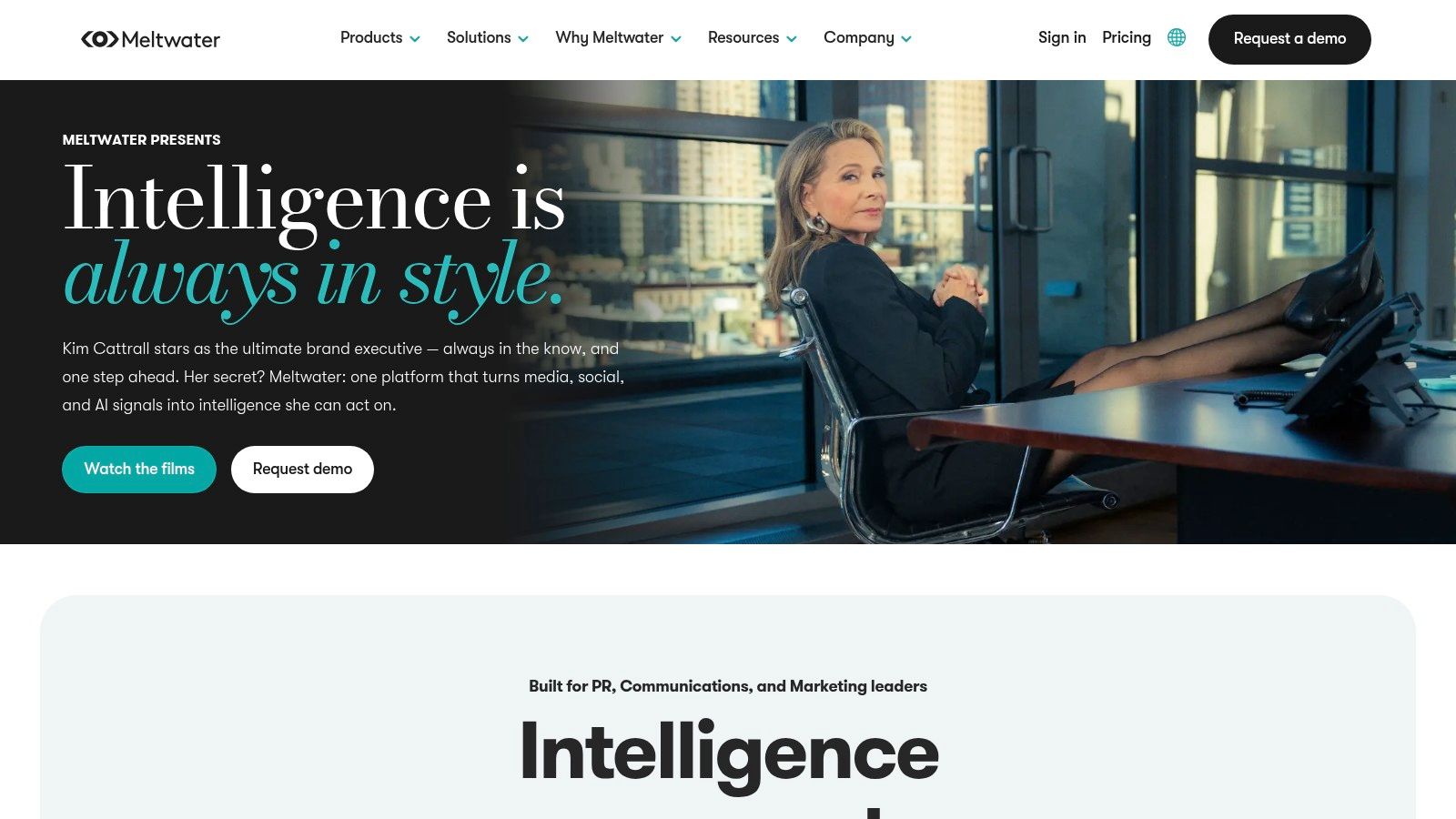
Instagram monitoring requires account connections. Private accounts and Stories are unavailable for social listening. If Stories are where customers complain, this platform won't show that thread. Keep Meltwater for earned media, and add a public-data collector only if you need both. Scope the quote on Meltwater around markets and seats, or the proposal will sprawl past the workflow you came to buy.
10. Sprout Social
Sprout Social is a management suite first. Publishing, a shared inbox, collaboration, and analytics are the core. Listening is a separate add-on for themes, sentiment, and spike alerts, with sources that include Instagram, Facebook, Reddit, YouTube, and the web. That split is the buying decision.
If the same people who reply to comments also need topic spikes, one login beats two tools. If listening is a research job with no publishing duty, you're paying for a suite you won't use. Core plans include a 30-day trial. Listening price and topic limits should be confirmed with Sprout, because they aren't part of the standard plan.
Per-seat pricing grows with headcount. A ten-person community team can outspend a flat listening subscription before anyone exports a topic. API access is also less straightforward if developers want a publicly documented data API rather than a product integration. For hashtag work inside your own app, a hashtag tracking tool built on raw post retrieval is clearer than hoping the add-on exports every field. Use Sprout Social when engagement and publishing are the daily job and listening is a paid neighbor, not the system of record.
Matching Your Brand Monitoring Tools to the Job at Hand
Choose by the job, then by the trial, not by the longest feature list.
A small team watching a short keyword list should stay with an alert-first product. Awario, BrandMentions, Mentionlytics, and Brand24 all do that, with different caps on users, refresh speed, and whether an API is included or sold later. Buy the cap that survives a noisy month. Enterprise research and PR belong on Brandwatch, Talkwalker, or Meltwater, where history, news, and cross-team reporting are the point and a quote is the price of entry. Image-heavy UGC belongs on YouScan, or on Talkwalker when video and audio matter too. When monitoring must feed your own app, warehouse, or agent, use a data API. Sprout Social only wins when the same team also publishes and replies all day.
Before you sign, test three things. Can you see Instagram the way the page implies, including whether a Business connection is mandatory? Do keyword, mention, user, and topic quotas cover a loud month? How much history ships with the plan, and is older data an add-on?
Brandwatch's 2026 social report covered 910 million online posts collected between January 1 and June 30, 2025, with history back to January 2022. Manual search won't classify sentiment or catch a topic at that scale. More than three years of comparison is what separates a temporary spike from a shift that stays.
A DataIntelo market analysis estimated the global brand-monitoring software market at $7.8 billion in 2025 and projected $18.5 billion by 2034, a 10.2% compound annual growth rate. It put formal program adoption at about 62% among enterprises with more than $1 billion in revenue, 28% for mid-market firms, and 8% for small businesses. Treat those figures as directional. The write-up doesn't publish a survey design you can audit. The split still matches how teams buy. Enterprises ask for multi-source coverage, an audit trail, history, and role-based reports. Smaller teams drop a tool that needs a query specialist.
AI answers are a different measurement. OnClarity's 2026 tool roundup describes products that track whether a brand appears in ChatGPT, Gemini, Claude, or Perplexity, which competitors get cited, and how answers move. Inclusion isn't a recommendation, and a mention can rest on an outdated third-party page. Build a prompt panel by market and language, save cited sources, score factual correctness apart from recommendation strength, and check both against web analytics and a human read.
Reputation work doesn't stop on one network. Reputation management for YouTube creators is a reminder that each platform has its own public record and its own blind spots. Verify Instagram access, plan quotas, and historical limits in the trial. Then pay for the job you run.
Instagram API gives you one API key for public profiles, posts, Reels, comments, hashtags, and locations, plus engagement, fake-follower, and lead-fit endpoints you can schedule inside a monitoring job. If your brand monitoring tools need to feed an app, an agent, or a warehouse instead of another inbox, start on prepaid credits and see what a collector returns. Visit Instagram API and send the first request against a public account you already track.
Pull Instagram data with one API call
Profiles, posts, reels, followers and more. 50 free credits, no credit card.
Get your free key